

AI coding agents differ from basic code assistants. Instead of stopping at autocomplete or answering programming questions, an agent can inspect project files, plan changes, edit multiple files, call tools, execute shell commands, run tests, and iterate on the result.
The main decision is no longer which model writes good code. Developers also need to compare the agent harness around the model: repository context, terminal access, approval controls, model choice, remote execution, Git workflows, MCP support, cost structure, and how much autonomy the agent receives.
This comparison focuses on agent-first coding products rather than general AI IDEs or simple autocomplete tools. Product availability and pricing were checked against current vendor information in August 2026. For a broader look at AI tools developers can use, see our guide to AI tools for developers.
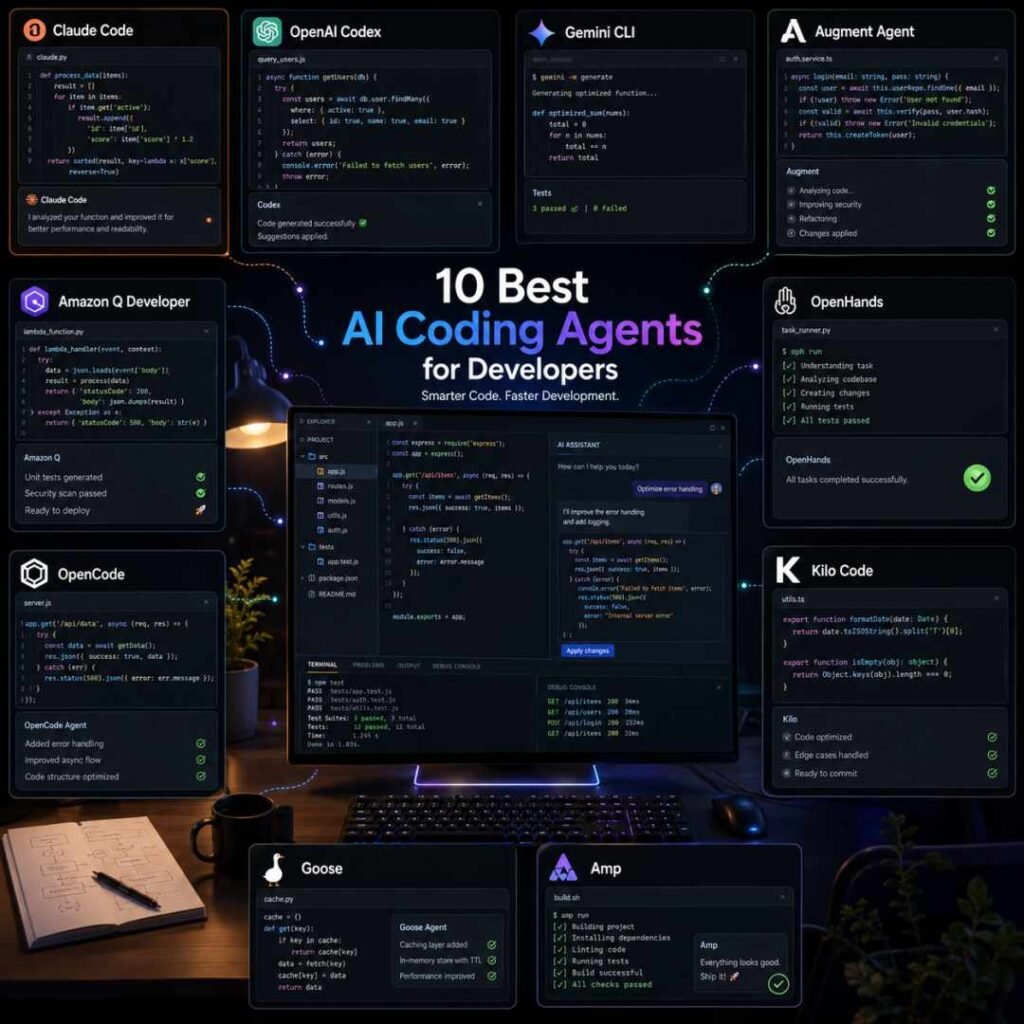
Claude Code is the strongest overall choice for terminal-first software development, while OpenAI Codex is better suited to delegated and parallel agent work. Augment Agent stands out on large codebases and team context, while OpenCode is a strong open-source choice for developers who want model freedom. AWS teams should also consider Amazon Q Developer.
Best Tools at a Glance
| Tool | Strongest Fit |
| Claude Code | Terminal-first development and complex repository work |
| OpenAI Codex | Parallel and delegated coding tasks |
| Augment Agent | Large codebases and engineering teams |
| OpenCode | Open-source, provider-flexible terminal workflows |
| Amazon Q Developer | AWS-heavy development teams |
| OpenHands | Open-source autonomous development and cloud delegation |
| Kilo Code | Model choice across IDE, CLI, and cloud |
| Amp | Remote agents and multi-agent workflows |
| Goose | Local, extensible agent workflows |
| Gemini CLI | Google Cloud organizations using Code Assist |
AI Coding Agent Comparison
| Tool | Main Interface | Open Source | Model Choice | Free Entry | Main Trade-Off |
| Claude Code | CLI | No | Primarily Claude | No dedicated free Claude Code plan | Usage limits depend on subscription and workload |
| OpenAI Codex | CLI, desktop, IDE, cloud | CLI components available openly | OpenAI models | Access depends on ChatGPT plan/availability | Usage allowances vary by plan |
| Augment Agent | IDE, CLI, cloud | No | Managed model selection | Trial availability | Current public pricing favors teams |
| OpenCode | CLI, desktop | Yes | Yes | Yes | No security sandbox by default |
| Amazon Q Developer | IDE, CLI | No | Managed | Yes | Most differentiated for AWS workflows |
| OpenHands | CLI, web, cloud, IDE integration | Yes | Yes | Yes | Quality and cost vary with the model selected |
| Kilo Code | IDE, CLI, cloud | Yes | Yes | Yes | Inference and cloud compute are separate costs |
| Amp | CLI, web, remote orbs | No | Managed multi-model routing | Limited legacy free availability | Heavy remote-agent use can add cost |
| Goose | CLI, desktop, API | Yes | Yes | Yes | Requires more configuration than managed agents |
| Gemini CLI | CLI | Yes | Gemini | Consumer access changed in 2026 | Consumer users are being moved to Antigravity |
How the Tools Were Selected
The ranking considers the factors that matter most once an AI system can act on a codebase:
- Ability to inspect and understand repositories
- Multi-file editing
- Planning and task execution
- Terminal and tool access
- Test and verification workflows
- Git integration
- Model flexibility
- Local versus remote execution
- Approval and security controls
- Pricing structure
- Suitability for individual developers versus engineering teams
No hands-on benchmark was performed for this ranking. Recommendations are editorial assessments based on current product documentation, pricing, product scope, and fit with common coding-agent workflows.
Best AI Coding Agents
I’ll look at 10 of the best AI coding agents and what makes each one useful for developers.
1. Claude Code
Best for: Developers who want a terminal-first agent for serious repository work.
What it does: Claude Code is Anthropic’s command-line coding agent. You launch it inside a project directory and give it access to project context so it can inspect files, make changes, work with Git, execute commands, and help complete development tasks. Anthropic supports macOS, Linux, and Windows through WSL or Git for Windows, and several authentication options.
Why it stands out: Claude Code is built around the terminal rather than treating the command line as an extra interface. It can use project instructions, interact with development tools, and connect to external systems through MCP.
MCP connections can extend the agent into services such as issue trackers, monitoring platforms, databases, hosting providers, and other developer systems. Anthropic also supports deployment through its API, Amazon Bedrock, and Google Vertex AI for organizations that need different infrastructure arrangements.
Key features:
- Repository-aware terminal agent
- File reading and editing
- Shell and Git workflows
- MCP integrations
- Project-level instructions
- Anthropic API, Bedrock, and Vertex AI options
- Pro and Max subscription access for individuals
Practical use case: A developer can open a legacy service, ask Claude Code to trace how authentication works, identify the files involved, update the flow, run the existing test suite, investigate failures, and revise the implementation without manually passing individual files into a chat window.
Limitations: Claude Code is closely tied to Anthropic’s models and pricing ecosystem. Developers who want to switch freely among OpenAI, Google, local, and open-weight models may prefer OpenCode, Kilo Code, Goose, or OpenHands.
Usage under Claude subscriptions is also shared with normal Claude activity. Anthropic says limits vary with repository size, task complexity, conversation length, and other usage factors.
Pricing: Claude Pro costs $20 per month in the US, or the equivalent of $17 per month when the annual plan is paid upfront. Claude Code is included with Pro. Max starts at $100 per month for higher usage. API-based Claude Code usage is billed separately when authenticated through the Anthropic Console.
Verdict: Choose Claude Code if you are comfortable working in the terminal and want an agent that can take responsibility for multi-step engineering tasks. Choose OpenCode or Kilo Code instead if provider independence matters more.
2. OpenAI Codex
Best for: Developers who want to delegate several coding tasks and supervise agents in parallel.
What it does: Codex is OpenAI’s software-development agent available across the command line, IDE workflows, cloud environments, and a dedicated desktop app. Codex agents can inspect files, edit code, execute commands, run tests, and work independently on delegated tasks.
Why it stands out: Codex’s desktop workflow is built around coordinating several agent threads rather than maintaining one long coding conversation.
The Codex app uses isolated worktrees so multiple agents can operate on the same repository without changing the developer’s active Git state. Developers can inspect diffs, comment on changes, continue an existing CLI session, or open work in an editor.
OpenAI also uses system-level sandboxing in the Codex app and CLI. Default permissions restrict the agent’s ability to make higher-risk changes or access networks without additional permission.
Key features:
- Codex CLI
- Desktop agent workspace
- IDE integration
- Parallel agent threads
- Git worktree isolation
- Cloud execution
- Skills
- Configurable sandboxing
- AGENTS.md project guidance
Practical use case: A developer preparing a release could assign one Codex agent to investigate a regression, another to increase test coverage, and another to handle a dependency migration, then review each set of changes separately.
Limitations: Codex usage allowances depend on the ChatGPT plan and can change as OpenAI adjusts capacity and model access. Developers who run long agent sessions should compare the included allowance with API or higher-tier costs rather than assuming the ChatGPT subscription provides unlimited agent work.
It is also most attractive if you already want to use OpenAI’s coding models. Model-agnostic agents give developers more freedom to move between providers.
Pricing: Codex is included on eligible ChatGPT paid plans. ChatGPT Plus currently costs $20 per month and provides Codex access with usage limits. Higher Pro tiers provide larger Codex allowances. Additional usage can also involve separate credits or API billing.
Verdict: Codex is a strong choice for developers moving from AI pair programming into delegated software work, particularly when several tasks need to run at the same time.
3. Augment Agent
Best for: Engineering teams working with large repositories and substantial codebase context.
What it does: Augment combines coding agents with its Context Engine. Its current platform includes IDE agents, Auggie CLI, remote development capabilities, code review, and software-development automation.
Why it stands out: Codebase context is central to Augment’s product design.
Its agent can search and edit code, execute terminal commands, create checkpoints, and work with visual inputs. Auggie brings the agent to the terminal and can plan, execute, and review work across codebases.
Augment has expanded further into agent orchestration through Cosmos, where teams can define specialized agents for tasks such as PR creation, testing, review, ticket triage, and incident investigation.
Key features:
- Context Engine
- IDE coding agent
- Auggie CLI
- Terminal execution
- Checkpoints
- MCP and native tools
- Remote and automated agent workflows
- GitHub, GitLab, Jira, Linear, and Slack workflow options
Practical use case: An engineering team managing a large monorepo could give an agent a Jira ticket, let it locate relevant services through repository context, implement the change, run validation, and move the work into a pull-request workflow.
Limitations: Augment’s current commercial direction is increasingly team- and organization-focused. Solo developers comparing $20 consumer subscriptions may find the current public plans less attractive than Claude Code, Codex, OpenCode, or Kilo.
Usage billing also includes model inference and service costs, so active agent teams need to monitor consumption.
Pricing: Augment’s current public Business plan costs $100 per month flat for up to 50 seats and includes $100 of monthly usage. Additional usage can be added on a pay-as-you-go basis. Enterprise pricing is custom.
Verdict: Augment Agent is most compelling for engineering organizations where repository context and repeatable agent workflows matter more than having the cheapest individual subscription.
4. OpenCode
Best for: Developers who want an open-source terminal coding agent without committing to one model vendor.
What it does: OpenCode is an MIT-licensed coding agent available through a terminal interface and a desktop application. It provides a full-access Build agent, a read-oriented Plan agent, subagents, and configurable custom agents.
Why it stands out: OpenCode separates the agent interface from the model provider.
Developers can configure different models for different agents and define permissions for file editing, shell access, web search, tasks, skills, and other tools. Custom subagents can also be created for jobs such as code review or repository research.
That makes OpenCode useful for developers who want to experiment with different commercial or local models without replacing their agent workflow each time.
Key features:
- MIT-licensed open source
- Terminal UI
- Desktop application
- Build and Plan agents
- Custom agents and subagents
- Multiple model providers
- Configurable tool permissions
- LSP-oriented development support
Practical use case: A developer can use a lower-cost model for repository exploration, switch a coding agent to a stronger model for implementation, and create a separate read-only reviewer without leaving OpenCode.
Limitations: OpenCode’s permission system is not a security sandbox. Its own security documentation states that the agent runs locally with access to shell execution, file operations, and web functions. Developers who need isolation should run it inside a container or virtual machine.
The quality and total cost also depend heavily on the model provider you connect.
Pricing: The OpenCode agent itself is free and open source. Model inference is separate and depends on the provider or model service you choose.
Verdict: OpenCode is one of the strongest choices for developers who want an open agent architecture and model flexibility. Teams requiring managed security controls may prefer a commercial platform.
5. Amazon Q Developer
Best for: Developers and engineering teams building heavily on AWS.
What it does: Amazon Q Developer provides agentic coding in IDEs and on the command line. It can use project context, modify files, propose and sometimes execute shell commands, and assist with multi-step development work.
Why it stands out: Amazon Q’s strongest differentiation appears once coding work overlaps with AWS.
It is available in VS Code, Visual Studio, JetBrains IDEs, Eclipse, and the command line. AWS also offers development and transformation functions around Java and .NET applications.
For organizations using the Pro tier, AWS states that customer content is not used for service improvement or training underlying foundation models. Free-tier users can opt out of service-improvement data use.
Key features:
- Agentic coding
- IDE and CLI access
- Multi-file changes
- Shell command assistance
- AWS context
- Java and .NET transformation functions
- Enterprise identity and admin controls on Pro
Practical use case: An AWS developer could ask Q to add a feature to an application, update project files, work through the implementation in the IDE, and then use the same broader AWS ecosystem while debugging cloud resources.
Limitations: Amazon Q can be used outside AWS projects, but its biggest advantage is its integration with Amazon’s development environment.
Developers who are cloud-neutral or use multiple AI providers may find Claude Code, OpenCode, or Kilo more flexible.
Pricing: Amazon Q Developer has a perpetual Free tier with monthly limits. The Free tier currently includes 50 agentic chat interactions per month, while the Pro tier costs $19 per user per month and raises that allowance to 1,000 interactions per month.
Verdict: Amazon Q Developer is an easy shortlist choice for AWS-centered teams. The case is less clear for developers with little AWS dependency.
6. OpenHands
Best for: Developers who want an open-source autonomous software agent that can run locally or in the cloud.
What it does: OpenHands provides an open-source software-development agent with a CLI, web interface, Agent SDK, Git integrations, cloud execution, and model choice.
Why it stands out: Deployment choice is a major advantage.
You can run OpenHands locally with your own model key, use the hosted Individual tier, access it through a CLI, or deploy enterprise infrastructure in your own environment.
The cloud service can connect to GitHub, GitLab, or Bitbucket, while the API allows teams to create and monitor agent conversations programmatically.
Its CLI also supports agent tasks, conversation resumption, cloud execution, IDE integrations through Agent Client Protocol, MCP servers, and headless automation.
Key features:
- Open-source local agent
- Hosted cloud agent
- CLI and web UI
- Agent SDK
- BYOK
- GitHub, GitLab, and Bitbucket connections
- Cloud API
- MCP support
- IDE integration through ACP
Practical use case: A developer could assign OpenHands a GitHub repository and ask it to fix a failing test, inspect the implementation, change the files, run the test suite, and produce code that can be reviewed through the Git workflow.
Limitations: Model choice creates both flexibility and variability. The agent’s cost, speed, and coding ability depend significantly on the LLM selected.
The free Individual Cloud tier also has a limit of 10 conversations per day, while higher-volume organization features move into enterprise plans.
Pricing: OpenHands Local is free and open source. The hosted Individual tier is also free at the platform level and supports BYOK or OpenHands-hosted models billed at provider cost. Enterprise pricing is custom.
Verdict: OpenHands is a strong option for developers who want both open-source control and autonomous agent execution, especially if running the agent outside a proprietary coding platform matters.
7. Kilo Code
Best for: Developers who want one agent workflow across IDEs, terminal, and remote cloud environments.
What it does: Kilo Code is an open-source coding platform available through VS Code, JetBrains IDEs, CLI, and cloud agents. It supports specialized modes for coding, planning, debugging, asking questions, and custom workflows.
Why it stands out: Kilo provides several layers of model choice.
Developers can use free models, local models, bring provider API keys, route through Kilo Gateway, or use an optional Kilo Pass credit subscription.
The CLI supports model switching, specialized agents, MCP, skills, code review, and remote connections. Cloud Agent sessions can clone a repository, create a branch, run startup commands, modify code, commit work, and push changes remotely.
Key features:
- Open-source IDE extensions
- CLI agent
- VS Code and JetBrains support
- Cloud agents
- Multiple providers
- Local-model support
- BYOK
- Specialized agent modes
- MCP and skills
Practical use case: A developer can start a task locally in the Kilo CLI, use an architecture-oriented mode to plan a refactor, switch models for implementation, and later move a separate maintenance task to a Cloud Agent.
Limitations: Kilo separates platform, inference, and cloud-compute billing. That gives developers control, but it also means the monthly cost can involve several different components.
Cloud agents also run with automatic code modification, so teams need to decide which repositories and secrets should be accessible remotely.
Pricing: Individual platform access is free. Teams costs $15 per user per month. AI inference is billed separately unless you use free or local models. Kilo Pass starts at $19 per month, while Cloud Agent compute currently starts at $0.60 per hour for some configurations.
Verdict: Kilo Code fits developers who want open-source tooling without giving up hosted agents, multiple IDEs, or model selection.
8. Amp
Best for: Developers who want agents to continue working on remote machines and handle several tasks concurrently.
What it does: Amp is an agentic development product available through the terminal, web, supported IDE connections, and remote execution environments called Orbs.
Why it stands out: Amp increasingly focuses on remote agent execution rather than keeping every agent attached to a developer’s laptop.
An Orb gives an agent a remote machine containing the repository and development environment. The agent can continue working without the developer keeping a local session active. Developers can later inspect changes, use the Orb terminal, synchronize code locally, or share the work with teammates.
Amp also supports multiple agent modes, subagents, project instructions through AGENTS.md, plugins, skills, and an SDK for programmatic use.
Key features:
- Local coding agent
- Remote Orbs
- Parallel agent work
- AGENTS.md support
- Custom agent modes
- Subagents
- Plugins and skills
- TypeScript and Python SDKs
- CLI and web access
Practical use case: A developer can send a CI investigation to a remote Orb, start another agent on a refactor, close the laptop, and later return to review the resulting changes and test evidence.
Limitations: Amp does not prioritize BYOK-style model selection in the same way as OpenCode or Kilo. Its approach is more opinionated about routing and agent behavior.
New users should also not rely on the historic Amp Free allowance. Amp restricted new Free admissions in February 2026 and has adjusted free-credit availability since then.
Pricing: Amp’s Megawatt plan costs $20 per month and includes $20 in agent usage plus 750 hours of Orb usage. Gigawatt costs $200 per month and includes $200 in agent usage with larger remote-compute allowances. Pay-as-you-go credits remain available.
Verdict: Amp is worth considering if your workflow is shifting from one interactive agent to multiple agents operating on remote development machines.
9. Goose
Best for: Developers who want a local, open-source agent that can extend far beyond code editing.
What it does: Goose is an Apache 2.0 open-source AI agent with desktop, CLI, and API interfaces. Originally developed by Block, the project has moved to the Agentic AI Foundation under the Linux Foundation.
Why it stands out: Goose is broader than a coding-only tool.
It can work on code, execute commands, test projects, automate workflows, interact with APIs, and connect to external systems using MCP extensions. The project supports providers including Anthropic, OpenAI, Google, Ollama, OpenRouter, Azure, and Amazon Bedrock.
This makes Goose useful to developers whose tasks cross code, infrastructure, data, documentation, and workflow automation.
Key features:
- Apache 2.0 open source
- Runs locally
- Desktop application
- CLI
- API
- Multiple model providers
- MCP extensions
- Local-model options through compatible providers
Practical use case: A developer could ask Goose to inspect an application, update code, execute the tests, query an external development service through an MCP extension, and then perform additional automation around the result.
Limitations: Goose offers more configuration responsibility than a tightly managed commercial agent. Developers need to choose and configure model providers and understand what permissions connected extensions receive.
Because it is a general-purpose agent, developers focused exclusively on software engineering may prefer an agent with more coding-specific defaults.
Pricing: Goose itself is free and open source. Model costs depend on the provider you configure. Some compatible providers have free usage options, while commercial models require their own API billing or subscriptions.
Verdict: Goose fits developers who value local execution, open governance, extensibility, and model choice more than a managed coding subscription.
10. Gemini CLI
Best for: Organizations using Gemini Code Assist Standard or Enterprise and Google Cloud development workflows.
What it does: Gemini CLI is Google’s open-source terminal agent. It uses a reason-and-act loop with built-in tools and MCP servers to work on tasks such as fixing bugs, creating features, and improving test coverage.
Why it stands out: Gemini CLI can access files, terminal tools, grep, web search, web retrieval, and MCP services. Gemini Code Assist agent mode uses Gemini CLI technology inside supported IDE workflows.
For business users, Google’s Standard and Enterprise Code Assist plans provide centralized access, privacy protections, and different usage quotas. Google states that customer prompts and responses under Standard and Enterprise are not used to train its models without permission.
Key features:
- Open-source CLI agent
- Terminal and file tools
- MCP
- Multi-step agent loop
- IDE agent integration
- Google Cloud integration
- Standard and Enterprise administration
Practical use case: A developer at a company using Google Cloud can ask Gemini CLI to inspect a repository, prepare a change, use shell tools, run tests, and interact with approved MCP services under the company’s Code Assist license.
Limitations: Gemini CLI’s consumer positioning changed significantly in 2026.
Google states that starting June 18, 2026, Gemini CLI and Gemini Code Assist stopped serving requests for Gemini Code Assist for individuals, Google AI Pro, and Google AI Ultra tiers. Those users are being directed to Antigravity and Antigravity CLI. Gemini CLI remains supported for Gemini Code Assist Standard and Enterprise.
That makes Gemini CLI less attractive as a general consumer recommendation than it was earlier in 2026.
Pricing: Current Gemini CLI access is included with eligible Gemini Code Assist Standard and Enterprise licenses. Google publishes license rates based on monthly or 12-month commitments and bills them monthly. Consumer access to the old individual Code Assist path has been deprecated.
Verdict: Gemini CLI remains relevant for Google Cloud organizations, but individual developers entering Google’s coding-agent ecosystem now need to evaluate Antigravity instead.
Best Coding Agents by Use Case
| Your Priority | Start With |
| Terminal-first coding | Claude Code |
| Parallel delegated tasks | OpenAI Codex |
| Large enterprise repositories | Augment Agent |
| Open-source terminal workflow | OpenCode |
| AWS development | Amazon Q Developer |
| Open-source autonomous agent | OpenHands |
| Model flexibility across IDE and CLI | Kilo Code |
| Remote agent machines | Amp |
| Local extensible automation | Goose |
| Google Cloud organization | Gemini CLI |
How to Choose an AI Coding Agent
I’ll explain the key things you should consider when choosing an AI coding agent, including its coding capabilities, IDE support, ease of use, accuracy, and pricing.
1. Decide how much autonomy you actually want
Agents range from interactive pair programmers to remote workers that can modify repositories for extended periods.
For close collaboration, Claude Code, OpenCode, Kilo, or Amazon Q provide strong interactive workflows.
For delegated work, Codex, OpenHands, Amp, and Augment deserve more attention.
Greater autonomy also increases the importance of review, testing, permissions, and isolation.
2. Choose between one model ecosystem and model freedom
Claude Code centers on Anthropic.
Codex centers on OpenAI.
Amazon Q manages models within AWS’s product.
Gemini CLI centers on Google’s ecosystem.
OpenCode, OpenHands, Kilo, and Goose provide wider provider choice.
A model-agnostic agent may be preferable if you regularly switch providers for price, privacy, context limits, or coding ability.
3. Compare local and cloud execution
Local agents can use your existing environment and keep project execution on your machine.
Cloud agents provide a different benefit: they can continue working while your machine is unavailable.
Codex, OpenHands, Kilo, Augment, and Amp all offer ways to move work beyond a purely local interactive session.
Before enabling cloud execution, check repository permissions, environment secrets, network access, and data retention.
4. Evaluate the real pricing unit
Coding-agent pricing now uses several models:
- Monthly subscriptions
- Usage credits
- API token charges
- Agent interaction limits
- Cloud-compute charges
- BYOK inference
- Team licenses
Compare the expected cost of your actual workflow rather than monthly plan prices alone.
An open-source agent can still become expensive if it repeatedly calls a premium model with a large repository context.
5. Look at approval and sandbox controls
A coding agent can have much broader permissions than an autocomplete tool.
It may be able to delete files, run shell commands, access credentials, call APIs, install dependencies, or use network resources.
Check whether the agent:
- Requests approval before commands
- Supports allowlists or denylists
- Uses a real sandbox
- Can run inside containers
- Provides isolated cloud environments
- Records actions for review
- Lets administrators restrict providers or tools
OpenCode, for example, explicitly says its permission UI is not a security sandbox. Codex uses system-level sandboxing for its local agent stack.
6. Match the agent to your development stack
Your existing tools can narrow the choice quickly.
AWS teams have a strong reason to evaluate Amazon Q.
Large organizations may value Augment’s repository context and automation.
Developers already paying for Claude or ChatGPT may get more value from Claude Code or Codex.
Teams wanting open-source infrastructure should look closely at OpenCode, OpenHands, Kilo Code, and Goose.
FAQ
What is an AI coding agent?
An AI coding agent is a software-development system that can take actions rather than simply generate text or autocomplete code.
Depending on its permissions, an agent may inspect a repository, create a plan, edit files, run terminal commands, execute tests, use Git, call external tools, and iterate until a development task reaches a reviewable state.
What is the best AI coding agent in 2026?
Claude Code is the strongest general choice for terminal-first development, while OpenAI Codex is a better choice for developers who want to delegate several tasks and supervise agents in parallel.
The right choice changes if you need open source, provider flexibility, cloud execution, or tight AWS integration.
Claude Code vs Codex: which should I choose?
Choose Claude Code if you want to work interactively from the terminal and keep the agent closely connected to your local development session.
Choose Codex if you expect to delegate longer tasks, manage several agent threads, or use isolated worktrees and cloud execution.
Developers already paying for Claude or ChatGPT should also compare how much agent usage their existing subscription includes.
What are the best free AI coding agents?
For developers who want an agent without a platform subscription, the strongest options in this comparison are:
OpenCode — free and open source; model costs separate
OpenHands — free locally and a free Individual cloud platform tier
Kilo Code — free individual platform with free, local, or BYOK model options
Goose — free and open source; model costs depend on provider
Amazon Q Developer — perpetual Free tier with monthly agentic limits
“Free agent” does not necessarily mean free AI inference.
Which AI coding agents are open source?
OpenCode, OpenHands, Kilo Code, Goose, and Gemini CLI provide open-source components or agent implementations.
Their licensing, cloud services, and commercial features differ, so organizations should review the specific license and hosted-service terms before standardizing on one.
Are AI coding agents safe for private repositories?
They can be used with private code, but the security model varies significantly.
Review the agent’s file permissions, shell access, network access, model provider, retention policy, cloud environment, secret management, MCP servers, and approval settings before granting access to sensitive repositories.
Agent-generated changes should still go through normal code review and testing before deployment.
Conclusion
For most developers comparing agent-first tools, Claude Code is the strongest starting point for interactive terminal development, while OpenAI Codex has a clearer advantage for parallel delegation.
Augment Agent fits larger engineering teams, OpenCode provides strong open-source flexibility, and Amazon Q Developer is a practical option for AWS-heavy workflows.
For developers who want greater control over providers and deployment,
The deciding question is how much work you want the agent to perform independently—and how much control you need over the model, machine, permissions, and cost.



Leave a Reply