
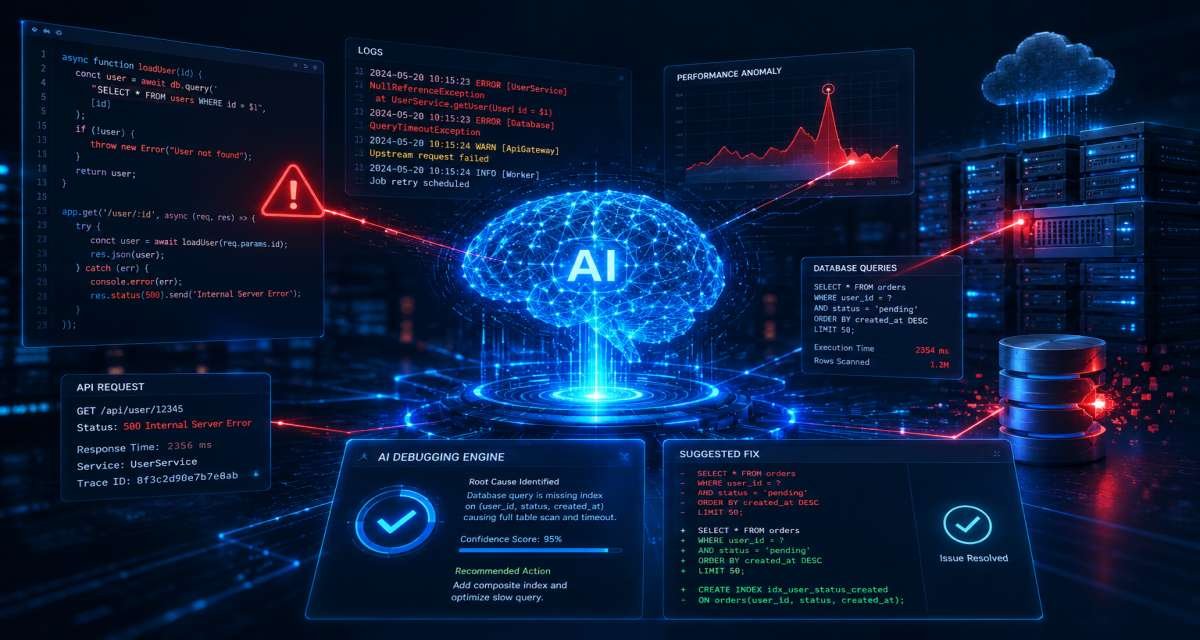
A bug rarely arrives with a clear explanation. More often, it appears as a failing test, an unexpected error, a slow endpoint, a broken deployment, or a user report that something stopped working.
AI can shorten the investigation by explaining errors, reading stack traces, summarizing logs, identifying suspicious code paths, suggesting likely causes, drafting tests, and proposing candidate fixes. But effective AI-based system debugging methods still depend on evidence. Reproduction steps, logs, traces, tests, code review, and security checks remain the foundation of reliable debugging.
The useful role of AI is not to replace that process. It is to make the process faster and more structured. Developers still need to verify the root cause, understand the proposed change, test the result, and decide whether the fix belongs in the codebase.
This guide explains where AI fits in debugging, the methods it can support, a practical workflow for using it safely, and the limits developers and software development teams should keep in mind.
What AI-Assisted System Debugging Means
AI-assisted debugging uses machine learning models, large language models, code-analysis systems, or AI-enabled development tools to help detect, explain, locate, and repair software problems.
In practice, AI usually supports several related tasks:
- Explaining error messages and stack traces
- Reading unfamiliar code
- Finding suspicious logic or likely failure points
- Comparing expected and actual behavior
- Analyzing logs and runtime evidence
- Suggesting possible root causes
- Drafting candidate fixes
- Creating regression and edge-case tests
- Reviewing small code changes
- Summarizing debugging findings for a team
These capabilities are especially useful in systems where a single request may pass through APIs, databases, queues, background workers, cloud services, and external dependencies. AI can help connect pieces of evidence that would otherwise require significant manual investigation.
The important distinction is that AI produces hypotheses and suggestions. It does not prove that a diagnosis is correct. That proof must come from the system itself through reproducible behavior, logs, debugger output, tests, traces, or other engineering evidence.
What Debugging Problems AI Can Help Solve
AI performs best when the developer provides enough context to reason about a specific failure. Asking an assistant to simply “fix this code” leaves too much room for guessing.
A stronger debugging request includes the failing input, expected result, actual result, error message, relevant code, test result, environment, and any recent change that may matter.
Error and stack-trace explanation
Long stack traces often contain framework noise alongside the information that matters. AI can help identify the first application-level failure, explain unfamiliar exceptions, and suggest what to inspect next.
For example:
“Explain this stack trace. Identify the first application-level file involved, the likely failure point, and the next three checks I should perform.”
The output should be treated as a navigation aid rather than a final diagnosis.
Code-level error detection
AI can inspect source code for suspicious patterns such as missing validation, incorrect conditionals, null handling problems, unsafe API usage, weak exception handling, unhandled asynchronous operations, or missing tests.
This is where AI-based error detection systems overlap with traditional static analysis. Deterministic analyzers can identify known rule violations, while AI can add context by explaining why a warning matters, where the risky data originates, and what test might reproduce the problem.
Fault localization
Finding where a bug originates is often harder than seeing where it finally fails.
AI can rank likely files, functions, services, queries, handlers, or configuration areas based on:
- Stack traces
- Failing tests
- Recent commits
- Error messages
- Dependency changes
- Function and service call paths
- Logs
- Similar failure patterns
This is particularly useful in larger repositories where the visible exception is several layers away from the actual defect.
Candidate repair generation
Once the likely cause has been confirmed, AI can propose a small code change.
This works well for problems such as:
- Small logic errors
- Missing edge-case handling
- Type mismatches
- Regressions with clear failing tests
- Incorrect validation
- Repeated mistakes across similar files
It is much riskier when the change affects payments, authentication, authorization, migrations, concurrency, sensitive data, or major architecture.
Production root-cause analysis
Some bugs cannot be reproduced easily on a developer machine. Production failures may depend on traffic, configuration, third-party services, data state, timing, or interactions between multiple services.
AI can help summarize logs, traces, metrics, deployment history, and incident notes. It may identify patterns such as a timeout chain, database connection problem, queue backlog, failing external dependency, or error spike after a deployment.
The result is still a hypothesis. Engineers must validate it against real runtime evidence.
A Practical AI Debugging Workflow
A safe debugging process starts with the bug rather than the AI tool for Developers. The central principle behind effective AI debugging workflow techniques is simple:
Collect evidence first, generate hypotheses second, change code only after the likely cause has been verified.
Step 1: Reproduce and define the bug
Start by describing the failure clearly.
Record:
- What action triggers it
- What should happen
- What actually happens
- Which environment is affected
- Whether the problem occurs consistently
- When it started
- What changed recently
Instead of:
“Login is broken.”
Use something more precise:
“Users with expired sessions are redirected to the dashboard instead of the login page after saving their profile. The issue started after the session middleware update.”
A clear description improves both human debugging and AI output.
If the bug is intermittent, gather several examples and look for a pattern before asking AI to diagnose it.
Step 2: Collect the smallest useful evidence package
Give the AI enough information for the immediate debugging task, but avoid dumping an entire repository or production dataset into the prompt.
Useful evidence may include:
- Error message
- Stack trace
- Relevant function
- Failing test
- Expected output
- Actual output
- Input that triggers the problem
- Logs near the failure
- Recent code change
- Framework or runtime version
- Relevant configuration
Remove secrets and personal or confidential data before sharing anything with an AI system.
For example, replace:
Authorization: Bearer abcd1234
with:
Authorization: Bearer [REDACTED]
The goal is focused context, not maximum context.
Step 3: Ask for hypotheses before fixes
Do not immediately ask AI to rewrite the code.
A more useful prompt is:
“Here is the bug report, failing test, stack trace, and relevant function. List the three most likely causes. For each cause, explain what evidence supports it and what evidence would disprove it.”
This forces the investigation toward testable explanations.
A good response should give you several plausible causes and a way to verify each one. It should not simply announce a root cause with confidence.
Step 4: Narrow the failing area
Once you have possible causes, identify the smallest part of the system that needs investigation.
That may be:
- One function
- A database query
- A service boundary
- An API response
- An event handler
- A configuration value
- A dependency
- A recent code change
For larger systems, AI can rank candidate areas instead of trying to reason about the entire repository at once.
A useful prompt is:
“Based on this stack trace, failing test, and recent diff, rank the five most likely locations where this bug originates. Explain the evidence for each. Do not suggest a fix yet.”
Separating localization from repair reduces the risk of generating a confident patch for the wrong part of the system.
Step 5: Verify the suspected cause
Now test the hypotheses using real engineering evidence.
You might:
- Reproduce the issue locally
- Add temporary logging
- Run the failing test
- Inspect relevant data
- Compare environments
- Review recent commits
- Step through the code with a debugger
- Compare healthy and failing requests
- Check dependency or configuration changes
AI can tell you what to inspect. Your application must tell you whether the hypothesis is correct.
Do not proceed to a permanent fix simply because the explanation sounds convincing.
Step 6: Generate the smallest safe fix
After confirming the likely cause, ask AI for a minimal patch rather than a broad refactor.
For example:
“Suggest the smallest safe code change for this confirmed bug. Do not refactor unrelated code. Explain why the change fixes the issue and suggest a regression test that fails before the fix and passes afterward.”
Then review the change as you would code written by another developer.
Check whether it:
- Fixes the confirmed cause
- Changes unrelated behavior
- Introduces new dependencies
- Hides rather than fixes the problem
- Weakens validation or access control
- Alters performance-sensitive behavior
- Requires additional testing
A smaller patch is usually easier to reason about and verify.
Step 7: Test normal behavior and edge cases
A bug is not fixed merely because the original error disappears once.
Run the relevant existing tests and add a regression test where appropriate. Confirm the original reproduction steps and test nearby edge cases.
For important changes, consider:
- Unit tests
- Integration tests
- Regression tests
- Validation edge cases
- Permission and authorization cases
- Failure and retry behavior
- Invalid or malformed input
- Concurrency behavior where relevant
- Security-sensitive scenarios
A strong regression test should demonstrate that the bug existed before the change and that the fix resolves the real failure rather than merely satisfying the new implementation.
Step 8: Document the result
After verification, AI can help convert the investigation into a concise pull request or incident summary.
A useful structure is:
- Bug
- Root cause
- Files or services affected
- Fix
- Tests performed
- Remaining risks
At this stage AI is being used for documentation, not diagnosis, so give it the verified facts and ask it not to invent missing details.
Method 1: AI-Assisted Log and Error Analysis
Logs, stack traces, failed test output, and incident notes are often lengthy and repetitive. AI is useful for reducing this material into a smaller set of signals.
With sanitized logs, you can ask:
- Which failure happened first?
- Which messages appear to be downstream symptoms?
- Which error is closest to the likely root cause?
- Are several errors connected?
- What additional log would help confirm the cause?
- Which component should be inspected next?
This method works better when logs contain timestamps, request IDs, service names, error codes, deployment information, and useful contextual fields.
Consider a request that times out after 30 seconds. An application log may only report a timeout, while a distributed trace shows that 27 seconds were spent waiting for an external payment service. AI can summarize that evidence and suggest investigating provider latency, retry behavior, timeout configuration, and fallback handling.
The trace does not automatically prove which component is defective, but it dramatically narrows the investigation.
For distributed applications, connected traces, metrics, and logs provide much better debugging context than isolated error messages. The supplied drafts specifically identify OpenTelemetry-style telemetry—traces, metrics, and logs—as useful evidence for diagnosing failures across services.
Method 2: AI-Guided Fault Localization and Error Detection
AI-assisted error detection and fault localization work best together.
Detection asks:
What looks wrong?
Localization asks:
Where does the problem probably begin?
An AI review may notice that user-controlled data reaches an authorization decision without an obvious ownership check. A static analyzer might identify a suspicious flow. A failing test might point toward one service, while the stack trace points toward another.
Instead of treating each signal independently, AI can organize them into a ranked investigation.
This is useful during:
- Development inside the editor
- Pull request review
- CI/CD failures
- Security review
- Regression investigation
- Analysis of AI-generated code
AI is particularly valuable as an explanation layer. A conventional analyzer might report a possible null-reference or tainted-data flow. AI can explain where the value entered the system, which branch failed to validate it, what behavior could result, and what test could confirm the problem.
Still, more alerts are not automatically better. Software teams need useful signals rather than a flood of low-confidence warnings.
AI systems can miss business rules, multi-step authorization flaws, race conditions, context-heavy vulnerabilities, financial logic errors, and defects spread across several services. Poor tests, unclear naming, weak documentation, and incomplete context can further reduce detection quality.
Use AI detection as another review layer, not as evidence that the software is safe.
Method 3: AI-Supported Program Repair
Automated program repair uses software to propose code changes that address a known defect. AI makes this process more flexible because a model can reason about code, errors, tests, and surrounding context rather than relying only on predefined repair templates.
A practical repair loop is:
- Start with a reproducible bug or failing test.
- Identify the likely faulty area.
- Ask AI for one small patch.
- Run the relevant tests.
- Feed the failure result back if the patch does not work.
- Try another narrowly scoped repair if the new evidence supports it.
- Stop and investigate manually if the model continues guessing.
Runtime information and test feedback are particularly useful because a final exception often describes only the visible symptom. Intermediate evidence can help explain what state caused the failure.
This approach works best when correctness can be tested clearly.
Good candidates include:
- Small regressions
- Validation bugs
- Missing boundary checks
- Straightforward type errors
- Isolated logic mistakes
- Failing tests after a refactor
Use much stronger human controls for:
- Authentication
- Authorization
- Payments and billing
- Encryption
- Data migrations
- Concurrency
- Infrastructure
- Customer data
- Large architectural changes
The AI can propose the patch. The engineering process determines whether the patch is correct.
Method 4: AI Debugging in Production Systems
Production debugging requires a different approach because the defect may be intermittent, environment-specific, or impossible to reproduce immediately.
AI can support incident investigation by helping teams:
- Summarize an incident timeline
- Group related errors
- Compare healthy and failing requests
- Identify affected services
- Connect errors to recent deployments
- Analyze configuration changes
- Rank possible causes
- Draft investigation notes
- Prepare post-incident documentation
A practical sequence is:
- Define the affected period and symptoms.
- Collect logs, traces, metrics, deployment history, and relevant configuration changes.
- Ask AI to summarize what changed around the failure.
- Request several possible causes ranked by evidence.
- Validate the strongest hypothesis manually.
- Apply a safe mitigation where necessary.
- Develop and test the permanent fix separately.
Good observability makes this process far more effective. Requests should be traceable across services using appropriate identifiers, service names, versions, and timestamps.
The critical boundary is production control. AI may help explain an incident and propose options, but unsupervised production changes create unnecessary risk.
Security, Privacy, and Reliability Checks
Debugging data can be sensitive. Logs and source code may contain API keys, session tokens, customer identifiers, internal URLs, credentials, database records, security configuration, or proprietary implementation details.
Before sharing debugging material with an AI system, determine whether the tool and workflow are approved for that data.
Check:
- What data the AI service receives
- Whether submitted data can be retained
- Whether it may be used for training
- What repository access it has
- Whether credentials have been removed
- Whether customer information has been redacted
- Whether proprietary source code is allowed
- Whether access is logged
- Whether generated changes remain subject to normal review
Never assume that more context is automatically better.
Use sanitized code, fake sample input, redacted logs, and the smallest relevant snippet whenever possible.
Review AI-generated code for security
A patch can fix the visible bug while creating a different vulnerability.
Review changes for issues such as:
- Missing input validation
- Weak authorization
- Injection risks
- Sensitive information exposure
- Unsafe error messages
- Logging of confidential data
- Incorrect authentication behavior
- Unsafe dependency usage
Security-sensitive fixes should also pass the normal static-analysis, dependency-scanning, testing, and human-review processes.
Do not trust generated tests automatically
AI-generated tests can unintentionally validate the generated implementation rather than the required behavior.
Ask:
- Did the test fail before the patch?
- Does it reproduce the actual bug?
- Does it verify externally meaningful behavior?
- Are relevant edge cases covered?
- Are permissions and security boundaries tested?
- Is the test merely checking implementation details?
Tests are evidence only when they accurately represent the behavior the software is supposed to provide.
Common AI Debugging Mistakes
Most problems with AI-assisted debugging come from skipping part of the engineering process rather than from using AI itself.
Asking for a fix without defining the failure
Broken code alone may not explain what is wrong.
Include the expected behavior, actual behavior, failing input, error output, and relevant context.
Accepting the first diagnosis
A confident explanation can still be wrong.
Ask for multiple hypotheses and the evidence required to confirm or reject each one.
Generating code before verifying the cause
A patch for an unconfirmed diagnosis can remove one symptom while leaving the original bug in place.
Diagnose first. Repair second.
Providing too much unrelated context
Large amounts of irrelevant code can make the important evidence harder to identify.
Start with the smallest useful context and expand only when the investigation requires it. The supplied material also notes that excessively low-quality context can introduce noise in fault-localization and repair tasks.
Merging code you do not understand
If you cannot explain what an AI-generated patch changes and why, it is not ready to merge.
Ask the AI to explain the change, but verify that explanation against the code and runtime behavior.
Skipping regression testing
When a bug can be reproduced, preserve that scenario as a test where practical.
A bug involving an expired reset token, for example, should have a regression test for the expired-token condition rather than only another successful reset test.
Treating AI review as final approval
AI review can identify issues that humans overlook, but the reverse is also true.
Keep deterministic tools, automated tests, security checks, and qualified human reviewers in the workflow.
FAQ
Can AI debug code?
Yes. AI can help explain errors, inspect code, analyze stack traces and logs, locate suspicious areas, suggest candidate fixes, and create tests. Developers still need to verify the cause and test any proposed change before accepting it.
How does AI find software bugs?
AI can analyze source code, test failures, error messages, logs, runtime behavior, and code changes for patterns associated with defects. Some workflows combine AI with static analysis, fault localization, test feedback, and production telemetry.
What is fault localization in AI debugging?
Fault localization is the process of finding where a defect is most likely to originate. AI may rank files, functions, services, or code paths using evidence such as failing tests, stack traces, recent changes, logs, and call relationships.
Can AI fix software bugs automatically?
AI can generate candidate fixes for many well-defined problems, particularly when a failing test clearly describes the expected behavior. Automatic acceptance is risky because a patch can pass one test while breaking business rules, security controls, or another part of the application.
Can AI debug production problems?
AI can help analyze production logs, traces, metrics, incidents, and deployment changes. It is useful for summarizing evidence and ranking possible causes, but engineers should verify the diagnosis and control any production change.
Is AI debugging safe for private source code?
That depends on the AI service, organizational policy, access controls, and data-handling terms. Do not share credentials, customer data, proprietary code, or sensitive logs with an unapproved system. Redaction and approved enterprise or controlled environments can reduce exposure.
Can AI replace developers during debugging?
No. AI can reduce time spent reading logs, explaining errors, generating hypotheses, and drafting patches, but developers still need to understand the system, verify the root cause, judge the fix, run tests, review security implications, and own the outcome.
Conclusion
AI can make debugging faster when it is placed inside a disciplined engineering workflow.
Start by reproducing the problem and collecting focused evidence. Use AI to explain that evidence and generate several testable hypotheses. Narrow the failure to the smallest relevant area, confirm the likely root cause, and only then request a minimal repair. Finally, prove the change with regression tests, broader testing where needed, security review, and human approval.
For straightforward defects, AI can save time by explaining errors, detecting suspicious logic, and drafting tests. In larger systems, it can help connect code changes with logs, traces, metrics, and production incidents. In both cases, the principle is the same: AI accelerates the investigation, while evidence determines what is true.
Related topics that deserve separate articles include AI debugging tools, static analysis versus AI code review, securing AI-generated code, production observability, automated testing workflows, and AI coding assistant comparisons. Keeping those topics separate allows this guide to remain focused on the debugging methods and workflow itself.




Leave a Reply