
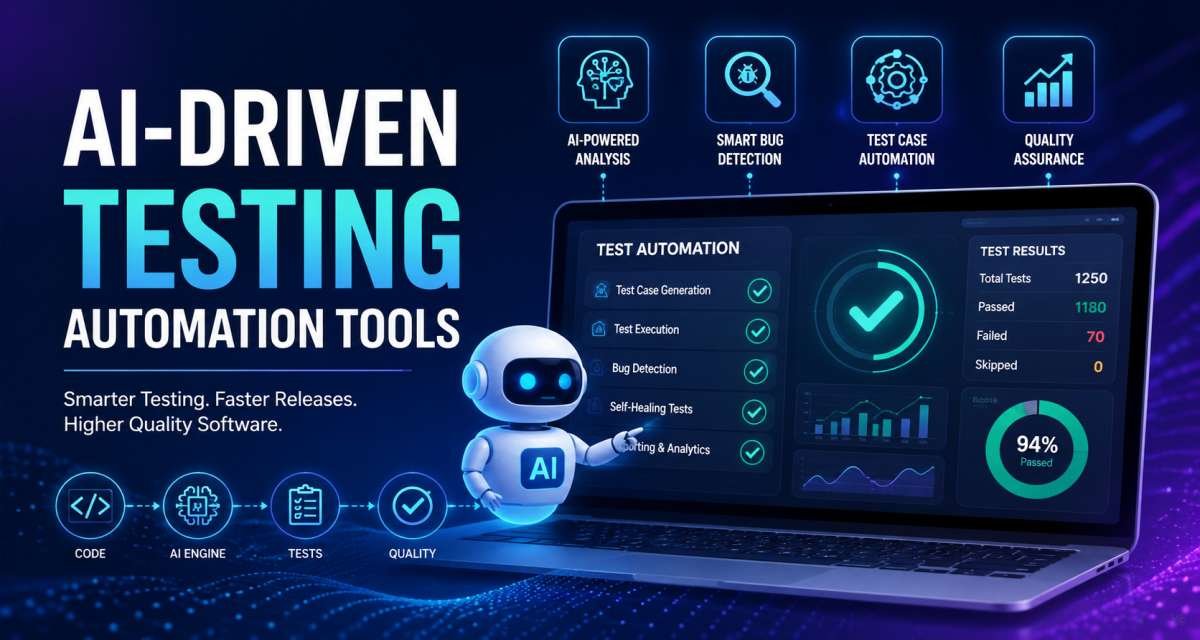
AI-driven test automation tools can help software teams generate test ideas, draft automated tests, analyze failures, detect visual changes, and maintain test suites as products evolve. Their value is not that they remove QA work. They reduce repetitive testing effort while helping developers and testers get useful feedback earlier.
The main challenge is deciding where AI should assist and where human judgment must remain in control. Generated tests can contain weak assertions, misunderstand requirements, duplicate existing coverage, or pass for the wrong reason.
This guide explains where AI fits in a modern testing workflow, how to adopt it step by step, what risks teams should review, and how to judge whether the approach is actually improving software quality.
What AI-Driven Testing Automation Actually Does
AI-assisted testing uses artificial intelligence to support parts of the software testing lifecycle. Depending on the system, it may analyze requirements, suggest test scenarios, generate test scripts, identify coverage gaps, interpret failures, detect visual changes, or help repair broken automation.
The easiest distinction is:
- Traditional test automation executes instructions created by humans.
- AI-assisted automation helps humans create, update, select, or interpret those instructions.
- More autonomous testing systems can plan, generate, execute, and sometimes repair tests with less manual input.
The amount of automation may change, but responsibility for software quality does not.
Traditional automation vs AI-assisted testing
A traditional browser test might contain selectors, actions, test data, and assertions written directly by a developer or QA engineer.
An AI-assisted workflow can help generate some of those elements from a requirement or user journey.
For example, a team testing password reset could provide this requirement:
A user can reset a password through a one-time email link. The link expires after 30 minutes and cannot be reused.
AI could suggest scenarios for:
- Valid reset links
- Expired links
- Reused links
- Unknown email addresses
- Password-policy failures
- Rate limits
- Email-delivery failures
- Session invalidation after a password change
That saves planning time, but the generated scenarios still need verification against the real product rules.
What AI can and cannot decide
AI is good at identifying patterns and producing first drafts. It can also help teams notice cases they might not immediately consider.
It cannot independently determine whether a test reflects the correct business requirement, whether a release risk is acceptable, or whether an unexpected product behavior should be approved.
That distinction should shape the entire testing workflow.
Where AI Fits in the Software Testing Process
AI can contribute at several points between a requirement being written and a release reaching production.
The best use depends on the test type, product risk, existing automation, and team workflow.
Requirements and test planning
AI can turn user stories, acceptance criteria, bug reports, or specifications into draft test scenarios.
This is particularly useful during sprint planning because QA teams can begin identifying risks before implementation is complete.
Useful inputs include:
- User stories
- Acceptance criteria
- Business rules
- API contracts
- UI flows
- Existing defects
- Previous regression tests
- Known edge cases
Clear input matters. A prompt such as “test password reset” provides little context. A requirement that includes expiration rules, reuse restrictions, and expected outcomes gives the system a much stronger basis for useful testing ideas.
Natural-language test generation still has limitations. Ambiguous requirements can lead to invented behaviors, inconsistent expected results, or tests that do not map cleanly to the original requirement.
Unit and API testing
Developers can use AI coding assistants to draft unit and API tests while implementing a feature.
This works particularly well when the code has clear:
- Inputs
- Outputs
- Validation rules
- Error states
- Boundary conditions
A developer working on coupon validation, for example, could ask for tests covering expired coupons, minimum order values, product exclusions, duplicate use, malformed codes, and account restrictions.
The generated tests should then be checked against the business rules.
A weak generated unit test may only reproduce the implementation rather than verify intended behavior. It may also contain duplicated assertions, unnecessary mocks, or tests that succeed regardless of whether the feature is correct.
UI and end-to-end automation
AI is also useful for browser and end-to-end testing because these tests often require significant setup and maintenance.
AI-assisted workflows can help:
- Record user journeys
- Draft browser automation
- Suggest selectors
- Generate assertions
- Convert natural-language flows into test scripts
- Investigate failed runs
- Identify brittle locators
Playwright, for example, provides browser test-generation capabilities, while AI coding assistants can help developers draft Playwright, Selenium, Cypress, or similar tests.
The generated script should still be treated as normal test code.
A login test that confirms only that a dashboard appears may overlook authorization problems, account states, role restrictions, or session-security requirements.
Visual testing
Visual testing systems can compare rendered interfaces and identify changes between versions.
They can be useful for:
- Design systems
- SaaS dashboards
- Checkout pages
- Responsive layouts
- Cross-browser rendering
- Reusable UI components
AI can help distinguish potentially meaningful visual differences from background noise.
Human approval is still necessary because not every visual change is a defect. Updated copy, images, promotions, spacing, or product components may represent intentional changes.
Failure analysis and test maintenance
Large test suites produce substantial logs, screenshots, traces, and failure reports. AI can help summarize this information and group failures that appear to share a cause.
For example, if several browser tests begin failing after a UI component changes, AI may identify a common selector or navigation issue.
Some testing systems also provide self-healing behavior. A test may attempt to identify an element through alternative attributes after the original selector stops working.
This can reduce routine maintenance, but healed tests need visibility.
The key question is not simply whether the test runs again. It is whether the repaired test is still interacting with the intended element and checking the intended behavior.
A Step-by-Step AI-Assisted Software Testing Process
A practical AI assisted software testing process should move from requirements to reviewed test evidence rather than directly from a prompt to automation.
1. Define the testing goal
Start with a specific testing problem.
Examples include:
- Validate a new login flow
- Improve unit coverage for a payment function
- Build regression tests for checkout
- Test API error handling
- Investigate a flaky browser flow
- Reduce manual release smoke testing
- Find missing scenarios for a user story
A clear goal gives the AI boundaries and makes the output easier to evaluate.
2. Collect requirements and context
Provide only the information necessary to understand the feature.
Useful context might include:
- Acceptance criteria
- Function signatures
- API schemas
- Expected validation behavior
- Existing tests
- Previous bugs
- UI states
- Role and permission rules
- Known limitations
Do not include secrets or sensitive production information merely to improve a prompt.
3. Generate scenarios before scripts
Ask AI for test scenarios before asking it to generate code.
Scenarios are easier for developers, testers, and product owners to evaluate.
For a password-reset feature, for example, the team could first review scenarios covering valid links, expiration, reuse, rate limiting, invalid accounts, and password requirements.
Only approved scenarios need to become automated tests.
This prevents teams from generating large amounts of test code for incorrect or low-value cases.
4. Review and refine test cases
Each proposed test should answer several questions:
- What requirement does it verify?
- What risk does it cover?
- Is the expected result correct?
- Does another test already cover it?
- Does it test behavior rather than implementation detail?
- Does it need special data or environment setup?
- Would a real defect cause the test to fail?
Delete weak tests rather than keeping them simply because they were inexpensive to generate.
Test quantity is not the goal.
5. Create automation scripts
Once the scenario is accepted, AI can help translate it into the team’s chosen framework.
That may include tools and frameworks such as:
- Playwright
- Selenium
- Cypress
- Jest
- pytest
- JUnit
The resulting test code should follow the same conventions as human-written code.
Check naming, fixtures, selectors, assertions, cleanup, dependencies, test isolation, and readability.
If the team cannot understand a generated test without asking the same AI system to explain it, long-term maintenance becomes harder.
6. Run tests through CI/CD
AI-generated tests should go through normal engineering controls rather than a separate, weaker workflow.
Depending on the project, that may include:
- Pull-request review
- Test execution
- Linting
- Type checking
- Security scanning
- Dependency checks
- Test reports
- Build gates
A generated test that has never been executed is only a draft.
7. Analyze failures and improve coverage
After execution, AI can assist with failure analysis.
Useful tasks include:
- Summarizing failed logs
- Grouping similar failures
- Identifying likely shared causes
- Explaining stack traces
- Finding fragile selectors
- Suggesting regression areas after a defect
- Comparing failures across test runs
Humans should decide whether the problem is in the product, test, environment, data, or requirement.
The same feedback can then improve the next generation of tests.
Where AI Testing Helps Most
AI produces the most value in work that is repetitive, pattern-based, expensive to start manually, and easy for a person to verify afterward.
Strong use cases
Good candidates include:
- Drafting unit tests
- Expanding scenarios from user stories
- Creating negative and boundary-test ideas
- Drafting first-pass E2E automation
- Generating synthetic test-data ideas
- Converting bug reports into regression scenarios
- Summarizing failed test logs
- Identifying possible coverage gaps
- Suggesting mocks or fixtures
- Repairing straightforward locator failures
- Detecting visual changes
- Writing QA documentation
Consider a bug report stating that refreshing a checkout confirmation page caused a duplicate charge.
AI could suggest regression tests around refresh behavior, payment idempotency, duplicate requests, webhook handling, and order-state locking.
The tester still determines which scenarios represent the actual defect and product architecture.
Areas that need greater caution
Human control should be stronger for:
- Payments
- Authentication
- Authorization
- Privacy-sensitive workflows
- Security testing
- Financial systems
- Healthcare workflows
- Regulated applications
- Production incident validation
- Tests involving customer records
- Business rules requiring specialist judgment
AI can assist with these areas, but generated output should not become the only source of release confidence.
Human Review, Traceability, and Test Quality
The safest rule is simple: treat AI-generated test assets like code submitted by another contributor.
They need review.
A useful review checklist is:
- Does the test match the original requirement?
- Does it test meaningful user behavior?
- Are positive and negative paths covered?
- Are the assertions strong enough?
- Is the selector strategy maintainable?
- Is test data appropriate?
- Can the test pass for the wrong reason?
- Does it duplicate existing coverage?
- Would an actual defect make it fail?
Traceability becomes especially valuable as test generation becomes faster.
A team may record:
- Requirement or story ID
- Related bug
- Test type
- Risk area
- Source of the generated test
- Reviewer
- Acceptance date
- Last meaningful failure
- Any self-healing changes
Without this context, a large generated test suite can become difficult to understand.
Teams may know that a test exists without knowing why it exists.
Security, Privacy, and Generated Code Controls
Testing frequently involves source code, system logs, test data, credentials, and internal application behavior. AI adoption therefore needs data-handling rules as well as QA rules.
Avoid providing unnecessary access to:
- API keys
- Passwords
- Access tokens
- Production database records
- Customer payment information
- Personal customer data
- Private security findings
- Confidential source code
- Proprietary algorithms
Synthetic or anonymized test data is usually a safer choice when real customer information is not required.
Teams evaluating an AI service should also understand:
- What information is sent to the service
- Where it is processed
- Whether prompts or code are retained
- Who can access the data
- What enterprise controls are available
- How usage can be audited
Generated scripts also need code-level checks.
Look for:
- Weak assertions
- Hardcoded credentials or values
- Hidden dependencies
- Unnecessary waits
- Brittle selectors
- Missing cleanup
- Poor test isolation
- Duplicate logic
- Unsafe commands
- False-pass conditions
AI can generate executable code quickly. Execution should not happen without review simply because the code originated from a testing assistant.
How to Evaluate an AI Testing Approach
Do not begin by asking which product has the most AI features.
Begin with the testing problem.
If UI tests break after minor interface changes, maintenance may be the priority. If a legacy application has poor unit coverage, test generation may matter more. If release failures take hours to investigate, failure analysis may offer more value than test creation.
Use criteria such as these:
| Evaluation area | What to check |
| Testing scope | Does it support the test types your team actually uses? |
| Workflow fit | Does it work with your repositories, IDEs, issue tracking, test runners, and CI/CD process? |
| Output quality | Are generated tests readable, editable, and reviewable? |
| Traceability | Can tests be connected to requirements, bugs, stories, or risks? |
| Failure analysis | Does it provide useful explanations rather than only pass/fail results? |
| Self-healing | Can repaired test steps be inspected and approved? |
| Data safety | Can code, credentials, logs, and test data be protected? |
| Maintainability | Can the team maintain the tests without depending completely on the AI feature? |
| Governance | Are permissions, history, logs, and review controls available? |
| Portability | What happens to the test assets if the team changes tools later? |
The best approach is usually a limited pilot tied to a measurable QA problem.
For example:
Generate draft test scenarios for the subscription upgrade and cancellation workflow, review them with QA, automate the accepted cases, and compare maintenance effort and defect coverage with the existing process.
That creates a useful evaluation without committing the whole test strategy to one system.
How to Measure Whether AI Testing Is Working
Counting generated tests is a poor success metric.
A system can produce hundreds of tests without improving release confidence.
More useful measures include:
- Defect escape rate
- Flaky test rate
- Regression-cycle duration
- Test maintenance time
- Time needed to diagnose failures
- False-positive rate
- Percentage of important requirements covered
- Percentage of tests connected to requirements
- AI-generated suggestions rejected during review
- Number of self-healing changes requiring correction
Teams should also watch pipeline duration.
Generating additional tests is useful only when those tests add meaningful coverage. Low-value automation can increase execution time, investigation work, and maintenance cost.
The objective is faster and more reliable quality feedback, not a larger test directory.
Common AI Testing Adoption Mistakes
Buying a tool before defining the problem
Feature lists are difficult to evaluate without a specific QA bottleneck.
Define the problem first. Then evaluate whether AI meaningfully reduces it.
Starting with automation before clarifying requirements
AI can generate code from vague requirements, but that does not make the resulting tests correct.
Review test intent first and automate second.
Accepting generated tests without review
AI can misunderstand product behavior, invent fields, create weak assertions, or duplicate existing tests.
Generated tests should enter the standard review process.
Measuring success by test volume
More tests do not automatically mean better coverage.
Measure defects, maintenance effort, failure diagnosis, and useful risk coverage instead.
Allowing self-healing to operate invisibly
A healed test can select the wrong element while continuing to pass.
Keep repaired steps visible and review important changes.
Ignoring flaky tests
AI-generated browser automation can still be unstable.
Fix instability rather than hiding it with retries or additional generated tests.
Using sensitive production data unnecessarily
Avoid exposing customer or confidential data when synthetic examples can perform the same testing task.
Making generated tests unreadable
If nobody on the team can maintain the generated code, short-term speed creates long-term dependency.
Treating AI as the release decision-maker
AI can help analyze evidence. Developers, testers, security specialists, product owners, and other responsible stakeholders still need to judge release risk.
Conclusion
AI-driven test automation is most useful when it improves a specific part of an existing QA workflow rather than replacing the workflow itself.
Start with a clear testing problem. Give the system enough project context to generate meaningful scenarios. Review those scenarios before creating automation, run generated tests through normal engineering controls, protect sensitive data, and track whether the approach improves real QA outcomes.
For many teams, the best first use is narrow: test-case drafting, unit-test assistance, failure analysis, regression ideas, visual checks, or routine maintenance.
Once that process works reliably, teams can expand adoption based on evidence rather than test volume or feature claims.
The next content should address separate intents through dedicated pages, such as tool comparisons, framework tutorials, visual regression testing, flaky-test reduction, or Playwright-versus-Selenium guidance.
FAQ
What are AI-driven test automation tools?
They are testing tools or development assistants that use AI to help generate, analyze, execute, or maintain software tests. They may create test scenarios, draft scripts, identify coverage gaps, analyze failures, detect visual changes, or help repair broken tests.
Can AI generate software test cases?
Yes. AI can generate draft test cases from requirements, user stories, source code, APIs, bug reports, and other project context. Teams should review the cases for accuracy, business relevance, expected results, and duplicate coverage before adding them to a test suite.
Are AI-generated tests reliable?
They can be reliable after review and execution, but they should not be trusted automatically. Generated tests can misunderstand requirements, contain weak assertions, duplicate existing coverage, or pass for the wrong reason.
What are self-healing automated tests?
Self-healing tests attempt to keep automation working after certain application changes, such as a modified UI selector. They can reduce maintenance, but teams should inspect repaired steps to confirm that the test still interacts with the intended element.
Can AI replace QA engineers?
No. AI can reduce repetitive work and assist with test creation, maintenance, and analysis. QA engineers still need to assess risk, interpret requirements, design meaningful coverage, investigate behavior, and make quality judgments.
Which testing tasks are best suited to AI?
Useful areas include unit-test drafts, requirement-based test scenarios, regression ideas, E2E drafts, failure summaries, synthetic test-data ideas, visual change detection, bug-to-test conversion, and routine test maintenance.
What should a team check before adopting AI testing?
Check the testing problem, output quality, CI/CD compatibility, maintainability, traceability, privacy controls, self-healing behavior, security, governance, and whether generated tests remain understandable to the team.




Leave a Reply