
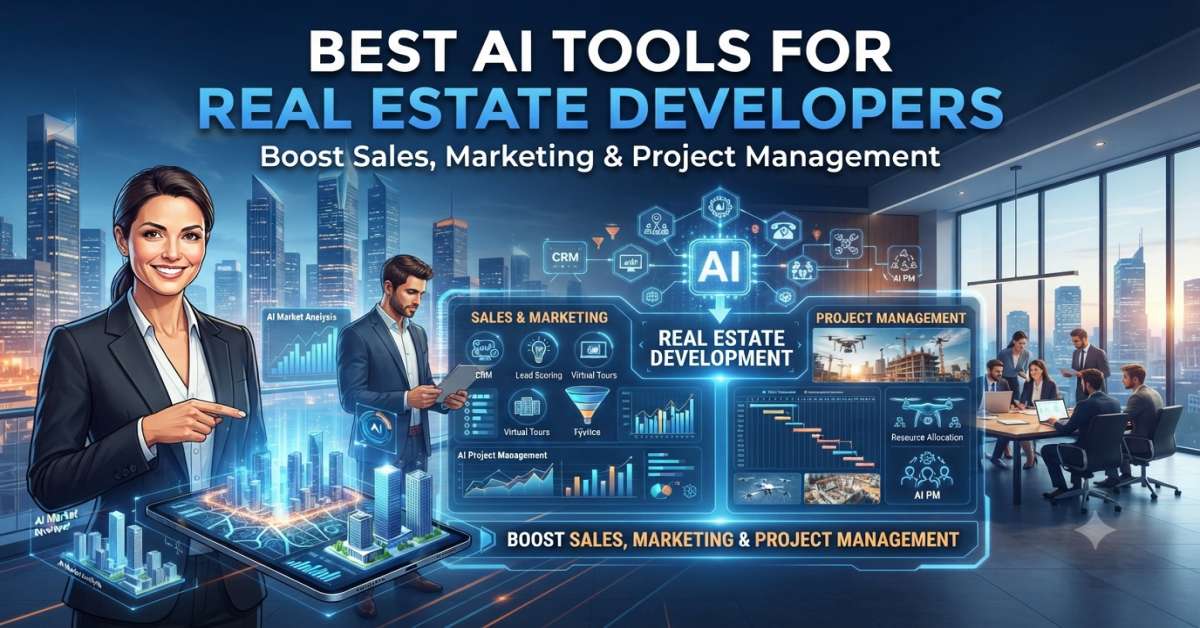
AI tools for real estate developers help with site selection, zoning checks, feasibility, design, construction tracking, cost control, lease data, and market research. The right choice depends on the phase of the project. I judge these tools by one simple question: would this help me create a better decision before money is locked in?
I like tools that reduce guesswork. Real estate is already full of moving parts. Land rules, rents, permits, debt costs, contractors, and timing all matter. One weak assumption can turn a good-looking deal into a long headache.
In this guide, I will cover:
- What does real estate AI software mean
- Best tools by project stage
- Site selection and zoning tools
- Feasibility and design tools
- Construction and budget tools
- Broker and investor tools
- Free options
- Pricing notes
- Pros and cons
- Real examples
- FAQs for quick answers
Best Tools by Real Estate Stage
The best tool is not the same for every real estate team. A land team needs parcel and zoning data. A design team needs test fit software. A construction team needs site tracking. A broker or investor needs market data, lease data, and underwriting help.
- Best for site selection: Deepblocks, Buildora IQ, LandLogic, ArchiWise
- Best for feasibility and test fits: TestFit, Autodesk Forma, Archistar.
- Best for zoning checks: Deepblocks, Buildora IQ, Archistar PreCheck
- Best for cost and project tracking: Northspyre
- Best for construction progress: Buildots, OpenSpace
- Best for scheduling: ALICE Technologies
- Best for lease data: Prophia
- Best for CRE data and portfolio work: Cherre, JLL Falcon
- Best free research support: ChatGPT, Perplexity, Gemini, Claude, and NotebookLM
My simple rule is this. Pick the tool that fits the next big risk in the deal. If the site may not work, start with zoning and feasibility. If the budget is messy, start with cost control. If the project is active, start with field visibility.
Real estate AI tools are software platforms that use artificial intelligence, machine learning, data automation, computer vision, document AI, or generative design to support property decisions. They help developers review land, estimate buildable area, compare project options, create site plans, track costs, review leases, and study market demand.
People also call them PropTech AI tools, real estate AI software, AI site-selection tools, AI construction-tracking tools, AI underwriting tools, and AI tools for real estate investors. The names differ, but the goal is the same. They help teams make faster and clearer property decisions.
What These Tools Actually Do
These tools help real estate teams turn scattered data into useful steps. They can read parcel data, check zoning limits, test site layouts, track budgets, scan lease documents, and collect site photos.
I see them as a second set of eyes. They do not replace a planner, architect, attorney, broker, or project manager. They help those people spend less time digging and more time deciding.
For example, a developer may use one tool to screen 50 parcels. Then the team may use another tool to run test fits on the top five. Later, the same project may use a construction tool to observe progress and lender updates.
That is why I do not like ranking tools as if they all do the same job. A lease abstraction tool and a site planning tool solve very different problems. Comparing them directly is like asking whether a tape measure is better than a calculator. The answer depends on the job.
Quick Comparison and Pricing Table
Pricing changes often. Many real estate tools use custom pricing because project size, asset class, data needs, and user count vary a lot. I would always check the live pricing page before signing up.
| Tool | Category | Best For | User Type | Pricing Style | Main Limit |
| Buildora IQ | Site feasibility | Early zoning and ROI checks | Developers and investors | Demo or paid plan | Needs local review |
| Deepblocks | Zoning and parcel analysis | Development potential | Urban developers and CRE teams | Demo or quote | Data coverage may vary |
| LandLogic | Land data intelligence | Parcel and zoning insight | Land teams and public sector users | Free start or demo | Market focus may vary |
| ArchiWise | Predevelopment analysis | Site search and feasibility | Developers, brokers, architects | Free trial or demo | Needs strong local data |
| TestFit | Site planning | Fast test fits | Developers and architects | Talk to sales | Not final design |
| Autodesk Forma | Early design | Design options and site analysis | Architects and developers | Subscription | Better for design teams |
| Archistar | Plan review | Planning and compliance checks | Cities, designers, developers | Demo or quote | Local rule coverage matters |
| Northspyre | Project management | Budget and cost risk | Developers and owners | Demo or quote | Better for active teams |
| Buildots | Construction intelligence | Progress tracking | Large construction teams | Demo or quote | Needs field process |
| OpenSpace | Site documentation | Visual jobsite records | Contractors and owners | Based on construction volume | Field adoption matters |
| ALICE Technologies | Scheduling | Build sequence options | Contractors and owners | Demo or quote | Needs clean project data |
| Prophia | Lease abstraction | Lease data and rent rolls | CRE owners and investors | Paid plans | Human review still matters |
| Cherre | Data platform | Portfolio data | Institutional investors | Demo or quote | Needs setup |
| JLL Falcon | CRE intelligence | Portfolio and market insight | CRE teams | JLL platform access | Not for small solo users |
| Perplexity | Research | Market and policy research | Brokers, developers, investors | Free and paid | Not an underwriting system |
A pricing table helps with screening, but it should not be the final decision. For most paid PropTech tools, the real question is return on time and risk. If a tool helps you avoid one bad site, the math changes fast.
AI is transforming the way developers write, test, and deploy code. Explore the 100 Best AI Tools for Developers in 2026 to discover the most powerful coding assistants, automation platforms, and productivity tools for modern software development.
How I Chose These Tools
I care less about shiny screens and more about deal impact. A nice dashboard is fine. A better land decision is better.
My selection was based on:
- Site selection support
- Parcel and zoning data
- Feasibility reports
- Buildable area estimates
- Test fit options
- Budget tracking
- Construction progress observation
- Lease abstraction
- Market research
- Broker use cases
- Investor use cases
- Ease of use
- Data quality
- USA market fit
- Free access, trial, or demo
I also looked at where each tool fits in the project life cycle. A developer does not need every tool on day one. Most teams should start where the pain is loudest.
For a small developer, that may be site screening. For a broker, it may be market research and client memos. For an owner with many active projects, it may be cost control and field updates.
If you’re building Android or iOS applications, the right AI tools can speed up coding, UI design, testing, and debugging. Check out our guide to the 10 Best AI Tools for Mobile App Development to find the best platforms for creating high quality mobile apps faster.
Why Real Estate Teams Are Using AI Now
Real estate teams use AI because the old process is slow. A normal deal may involve zoning maps, city codes, rent comps, cost estimates, lender rules, drawings, leases, and construction reports.
That is a lot of tabs. There is also a lot of room for human error. I have seen simple data gaps create weeks of back-and-forth. Nobody enjoys discovering a setback after the design budget has already been spent.
AI can shorten early research and make patterns easier to see. It can help compare many sites, plans, leases, or project reports. It is like turning a messy filing cabinet into a search box.
Still, it is not magic. Local real estate rules change by city, county, and asset type. A tool can guide the first pass. A human expert should confirm the decision.
Best Tools for Site Selection, Land Sourcing, and Zoning
Site selection is where AI can save a lot of wasted time. A bad site can look great on a map and still fail because of zoning, access, slope, utilities, flood risk, or parking rules.
Buildora IQ
Buildora IQ is useful for early feasibility checks. It can support address-based or parcel-based reviews, zoning insight, buildable area checks, plan ideas, cost views, and ROI reports.
I would use it when I want a quick first look at a site before paying for deeper work. It is useful for small and mid-sized developers who need a faster early screen.
Pros:
- Fast site review
- Useful for early feasibility
- Good for residential or mixed-use ideas
- Helps compare simple project paths
Cons:
- It does not replace local experts.
- Final numbers still need review.
- Local code details may need human checking.
Deepblocks
Deepblocks is useful for zoning and development potential. It can help teams review parcel-level opportunities, study building limits, and compare deal logic.
I would use Deepblocks for urban sites where zoning and density matter. If a site has height limits, floor area rules, setbacks, or tight parking math, this kind of tool can help early.
Pros:
- Strong parcel review use case
- Good for urban development checks
- Helps compare land options
- Useful for CRE teams
Cons:
- Data quality depends on market coverage.
- Final zoning review still needs experts.
- Not every deal is a fit for automated screening.
LandLogic
LandLogic focuses on land, zoning, and real estate data intelligence. It can help users understand parcel-level rules and development limits faster.
I would consider it for land teams that review many sites. It is also useful when zoning and permit data are difficult to obtain from public sources.
Pros:
- Good for land research
- Helps reduce early due diligence time
- Useful for parcel and zoning questions
Cons:
- Coverage may differ by location.
- Legal and title review are still needed.
- It may be better in some markets than others.
ArchiWise
ArchiWise helps with real estate predevelopment. It supports site selection, zoning questions, feasibility assessments, hazard assessments, market data, and entitlement viability.
I would use it when I need to rank parcels before deeper due diligence. It is useful for developers, brokers, architects, and planning consultants.
Pros:
- Good for parcel screening
- Useful for early feasibility
- Helps find site limits before capital is committed
Cons:
- Strong local data matters
- It cannot force a seller to sell
- It still needs expert review before closing.
Best Tools for Feasibility, Test Fits, and Design
Feasibility is where the story meets the numbers. A project may sound great, but the site plan, parking, unit count, construction cost, and rents must agree.
TestFit
TestFit helps teams create site plans and test development options. It can support unit mix, parking layouts, building envelopes, and fast design changes.
I would use TestFit before spending too much on a full design package. It helps answer a basic question: Can this site hold the project? I think it can.
Pros:
- Fast test fits
- Good for early deal review
- Useful for multifamily, retail, industrial, and mixed-use
- Helps teams compare layouts
Cons:
- Not a final design tool
- Architects and engineers still matter.
- Assumptions must be checked.
Autodesk Forma
Autodesk Forma is a cloud-based platform for early site planning and design analysis. It helps teams explore options and make early design decisions.
I would use Forma when architects and developers need to work together early. It is useful when site conditions, such as daylight, wind, noise, or environment, may affect the design.
Pros:
- Good for early design work
- Fits teams that already use Autodesk tools
- Helps compare options before detailed design
Cons:
- It may be too much for very small deals.
- Better for design-led teams
- Still needs a detailed planning review.
Archistar
Archistar supports planning checks, property analysis, and AI PreCheck for permit and code review. It is useful for design teams, cities, and developers that need faster compliance feedback.
I would use Archistar when planning rules are a major risk. It is not a replacement for a permit office, but it can help spot issues earlier.
Pros:
- Useful for planning checks
- Helps with design review support
- Good for cities and design teams
Cons:
- Rule coverage may vary by location.
- Final approval still comes from the right authority.
- Users need to understand the local code context.
Best Tools for Construction, Budgeting, and Delivery
Construction is where small misses become expensive. A late change order is rarely a small problem. It can affect time, debt costs, lender draws, and trust.
Northspyre
Northspyre is built for real estate development project management. It helps teams manage budgets, cost data, project workflows, and risk.
I would use Northspyre when a project has many invoices, change orders, approvals, and reports. It can reduce the spreadsheet mess that often grows during active development.
Pros:
- Built for real estate development
- Helps with cost tracking
- Good for owners and project managers
- Useful for project visibility
Cons:
- Better for active project teams
- Small users may not need all the features.
- Needs clean data entry
Buildots
Buildots uses construction intelligence to compare what is happening on site with the plan. It helps teams see progress and spot risk earlier.
I would use Buildots on larger projects where schedule drift is costly. It is especially useful when owners need more objective views of progress.
Pros:
- Good for progress assessment
- Helps spot delays
- Useful for large sites
- Can support owner reporting
Cons:
- Needs field capture habits
- Better for larger projects
- Setup matters
OpenSpace
OpenSpace captures jobsite images and turns them into visual records. It can support 360-degree capture, progress measurement, and remote site review.
I would use OpenSpace when owners, lenders, and contractors need visual proof of progress. It helps answer the classic question: What actually happened on site?
Pros:
- Good site documentation
- Useful for remote teams
- Helps reduce site visit gaps
- Supports progress reports
Cons:
- Field team use is required.
- Images must be managed well.
- Pricing depends on project scale.
ALICE Technologies
ALICE Technologies helps teams compare construction schedule options. It is useful for contractors and owners who need to optimize build sequences and recover delayed projects.
I would use ALICE on complex jobs with many schedule paths. If the project is simple, it may be more than you need.
Pros:
- Good for schedule planning
- Helps compare what-if options
- Useful for large construction projects
Cons:
- Needs good project data
- Better for complex work
- Teams need scheduling skills to use them well.
Best Tools for Commercial Real Estate Brokers
Commercial brokers need fast research, good client notes, and clear deal stories. AI can help with that, but trust still comes from market knowledge and relationships.
JLL Falcon
JLL Falcon is built for commercial real estate intelligence. It combines CRE data and AI to support portfolio strategy, investment insight, space planning, and client work.
I would see it as a tool for larger CRE teams, not a small solo agent. It fits firms that already work with deep market data and many clients.
Pros:
- Strong CRE focus
- Useful for portfolio work
- Good for market intelligence
Cons:
- Not aimed at every solo broker
- Access may depend on the scope of the JLL platform.
- Still needs human assessment.
Perplexity
Perplexity is useful for market research with source links. It can help a broker study local policy, rent trends, news, competitors, or development activity.
I would use it for quick research briefs. I would not use it as the final source for rent comps, lease terms, or legal claims.
Pros:
- Free access available
- Good for quick research
- Gives source links
- Helpful for pitch prep
Cons:
- Facts still need checking.
- Not a real underwriting tool
- Local data may need paid sources.
ChatGPT, Claude, and Gemini
General AI assistants are useful for broker writing and deal support. They can aid in drafting client emails, listing copy, call notes, pitch outlines, and plain language market summaries.
I would use them for first drafts, not final legal or financial wording. Also, I would not paste confidential deal data unless the company policy allows it.
Pros:
- Good for writing support
- Useful for summaries
- Free plans may be enough for light work.
- Helps with client communication
Cons:
- Needs careful review
- Confidential data risk matters
- It may sound generic unless prompted well.
Best Tools for Real Estate Investors
Investors need clean data. A lease clause, rent step, renewal option, or expense rule can change the deal.
Prophia
Prophia focuses on lease abstraction and CRE data. It can turn lease documents into cleaner data for acquisitions, asset management, property management, and reporting.
I would use Prophia when the lease volume is high. Reading one lease is manageable. Reading hundreds without a system is where mistakes start multiplying like rabbits.
Pros:
- Saves time on lease review
- Helps structure lease data
- Useful for CRE owners and investors
- Supports underwriting and reporting
Cons:
- Human review still matters.
- Best for teams with many documents
- Paid plan required for serious use
Cherre
Cherre integrates real estate datasets and supports portfolio analysis. It is useful for firms with many assets, data sources, and reporting needs.
I would use Cherre when the issue is not one document but disconnected data. Large owners often have data spread across many systems.
Pros:
- Good for data-heavy teams
- Helps connect property and market data
- Useful for portfolio decisions
Cons:
- Not a beginner tool
- Setup takes planning
- Best for larger teams
DealCheck Style Underwriting Tools
Smaller investors may not need enterprise CRE platforms. A rental analysis tool can help review cash flow, cap rate, loan terms, repairs, and returns.
I would use these tools for a first pass, then check assumptions myself. Bad rent inputs still make bad outputs.
Pros:
- Good for small investors
- Easier than a complex spreadsheet
- Helps compare deals
Cons:
- AI depth may vary
- Rent and repair inputs must be real.
- Local market knowledge still matters.
Best Free AI Tools for Real Estate Developers and Agents
Free tools are useful for research, writing, checklists, and early thinking. They are not a replacement for paid parcel data, legal advice, appraisals, engineering, or formal underwriting.
Good free or low-cost options include:
- ChatGPT for checklists, emails, research prompts, and plain language explanations
- Perplexity for sourced market research
- Gemini for research and draft support
- Claude for summaries and document review support
- NotebookLM for source-based project notes
- Canva AI tools for pitch deck visuals
- Zillow and Redfin for public listing context
- County GIS maps for parcel research
- City zoning portals for local rules
- Free demos from paid PropTech tools
I would use free tools at the start of a deal. Once real money is at risk, I would move to verified data, expert review, and paid tools where needed.
Tool Choices by User Type
Residential developers may prefer Buildora IQ, TestFit, Autodesk Forma, Northspyre, and OpenSpace. These tools help with lot checks, design ideas, budget tracking, and site visibility.
Multifamily developers may prefer Deepblocks, TestFit, Autodesk Forma, Northspyre, ALICE Technologies, and OpenSpace. Unit mix, parking, zoning, and schedule risk matter a lot in multifamily deals.
Commercial real estate brokers may use JLL Falcon, Perplexity, ChatGPT, Prophia, and Cherre. These tools help with client research, rent trends, market summaries, lease data, and investor presentations.
Real estate investors may use Prophia, Cherre, Perplexity, ChatGPT, and underwriting tools. The goal is cleaner data, clearer assumptions, and faster deal screening.
Construction teams may use Buildots, OpenSpace, Northspyre, and ALICE Technologies. These tools support site progress, schedule risk, cost tracking, field records, and lender reporting.
How to Choose the Right Tool
Choose a site selection tool if you review many parcels. You need zoning checks, buildable-area estimates, and fast, early reports. Deepblocks, Buildora IQ, LandLogic, and ArchiWise fit this need.
Choose a design tool if you need site plans, unit mix testing, massing options, or fast layout ideas. TestFit, Autodesk Forma, and Archistar fit this stage.
Choose a project management tool if your budgets are messy. Northspyre fits teams that need cost tracking, change order control, and project visibility.
Choose a construction tracking tool if you need proof from the field. OpenSpace and Buildots help teams track what is built, what is delayed, and what needs attention.
Choose a CRE data tool if leases, underwriting, or portfolio reporting are the issue. Prophia, Cherre, and JLL Falcon fit that part of the workflow.
My Practical Workflow
My workflow starts with the asset type and target market. I do not start with the tool. I start with the decision I need to make.
First, I use research tools to study demand, rent trends, nearby projects, and local rules. Then I use parcel and zoning tools to screen sites. After that, I use a test fit tool to see what could be built.
Next, I compare rough costs, revenue, financing, and timing. If the numbers still work, I bring in the right experts. Once the project moves forward, I track budget risk and site progress.
If I were reviewing a multifamily site in Austin, I would check zoning and land limits first. Then I would run a test fit. Then I would review rent assumptions and construction cost risk. I would not wait until design fees are spent to find out the deal does not pencil.
Real World Scenarios
Scenario 1: A Developer Wants to Buy a Small Urban Parcel
I would start with Perplexity for local market research. Then I would use Deepblocks or Buildora IQ for zoning and buildable area. After that, I would use TestFit for a rough layout.
I would also ask ChatGPT to create a due diligence checklist. Ahead of finalizing the offer, I would ask a local planner or zoning expert to review the findings.
Scenario 2: A Broker Needs a Fast CRE Pitch
I would use Perplexity for market changes and recent local news. If the team has access, I would use JLL Falcon or internal CRE data.
Then I would use ChatGPT or Claude to prepare a client-friendly summary. I would use Canva for visuals. I would verify all rent, vacancy, and sales data before sending anything.
Scenario 3: An Investor Needs to Review Leases
I would use Prophia for lease abstraction. Then I would use Cherre if the lease data needs to be connected to portfolio data.
I would only use ChatGPT for non-confidential summaries. Legal review still matters because one clause can change the risk profile.
Scenario 4: A Construction Team Is Falling Behind
I would use OpenSpace for visual site records. I would use Buildots to compare progress against the plan.
Then I would use Northspyre for cost visibility and ALICE Technologies for schedule options. The point is not blame. The point is early action.
Benefits
AI helps real estate teams see problems earlier. It also helps them compare options faster.
Main benefits include:
- Faster site screening
- Better zoning awareness
- Faster test fits
- More design choices
- Cleaner lease data
- Better project tracking
- Earlier risk detection
- Better investor reports
- Less manual research
- Better team communication
The biggest benefit is not speed alone. It is a better time. A warning before closing is useful. A warning after closing is just a very expensive lesson.
Challenges and Risks
Bad data can lead to bad decisions. AI can read fast, but it can also miss local context.
Common risks include:
- Outdated zoning data
- Missing local rules
- Weak cost assumptions
- Wrong rent inputs
- Private data exposure
- Excess reliance on free tools
- Poor field adoption
- Lack of human review
I like AI for speed, but I would never buy land, sign a lease, or approve a construction change based only on an AI answer. Real estate is too local and too capital-heavy for that.
Final Recommendation
Start with the biggest pain point. That is the cleanest way to choose.
My picks are:
- Best for site selection: Deepblocks, Buildora IQ, LandLogic
- Best for test fits: TestFit.
- Best for early design: Autodesk Forma
- Best for planning checks: Archistar
- Best for development management: Northspyre
- Best for construction progress: Buildots
- Best for site documentation: OpenSpace
- Best for construction scheduling: ALICE Technologies
- Best for lease data: Prophia
- Best for portfolio data: Cherre
- Best for CRE intelligence: JLL Falcon
- Best free research tool: Perplexity
- Best general assistant: ChatGPT, Claude, or Gemini
If land decisions are slow, start with site and zoning tools. If budgets are messy, start with Northspyre. If construction visibility is weak, start with OpenSpace or Buildots. If lease data is hard to use, start with Prophia.
The best real estate AI setup is practical. It should help you make clearer decisions, catch risks earlier, and keep experts focused on the work that needs human assessment.
FAQs
What are the best tools for real estate development teams?
The best options include Deepblocks, Buildora IQ, TestFit, Autodesk Forma, Northspyre, Buildots, OpenSpace, Prophia, Cherre, JLL Falcon, and Perplexity. The right choice depends on whether you need land research, design, construction tracking, lease data, or market insight.
Are there free AI tools for real estate developers?
Yes. Free options include ChatGPT, Perplexity, Gemini, Claude, NotebookLM, Canva AI tools, public GIS maps, city zoning portals, Zillow, Redfin, and free demos from some paid platforms.
What tools help with real estate site selection?
Deepblocks, Buildora IQ, LandLogic, ArchiWise, and Perplexity can help with site selection. They support zoning checks, parcel research, local market review, and first pass due diligence.
What are the best AI tools for commercial real estate brokers?
JLL Falcon, Prophia, Cherre, Perplexity, ChatGPT, Claude, and Gemini can help brokers with market research, client notes, lease summaries, investor memos, and pitch materials.
What tools help real estate investors?
Prophia helps with lease data. Cherre helps with connected portfolio data. Perplexity helps with research. Underwriting tools help smaller investors compare cash flow and return assumptions.
Can AI replace real estate developers?
No. AI can help with research, planning, design checks, reports, and data review. Developers still make judgment calls about risk, capital, timing, people, and local market conditions.
How can AI help with zoning?
AI can read parcel data, zoning rules, height limits, setbacks, overlays, and floor area limits. Final zoning review should still involve local experts.
How can AI help with construction management?
AI can help with cost tracking, jobsite images, schedule options, progress checks, and issue detection. Northspyre, Buildots, OpenSpace, and ALICE Technologies are strong examples.
What is the best AI tool for real estate feasibility?
Buildora IQ and Deepblocks are useful for zoning and for early feasibility assessment. TestFit is useful for test fits. Autodesk Forma is useful for early design analysis.
Is AI safe for commercial real estate deals?
AI is safe when teams verify data, protect private information, and use expert review. It should support due diligence, not replace it.




Leave a Reply