
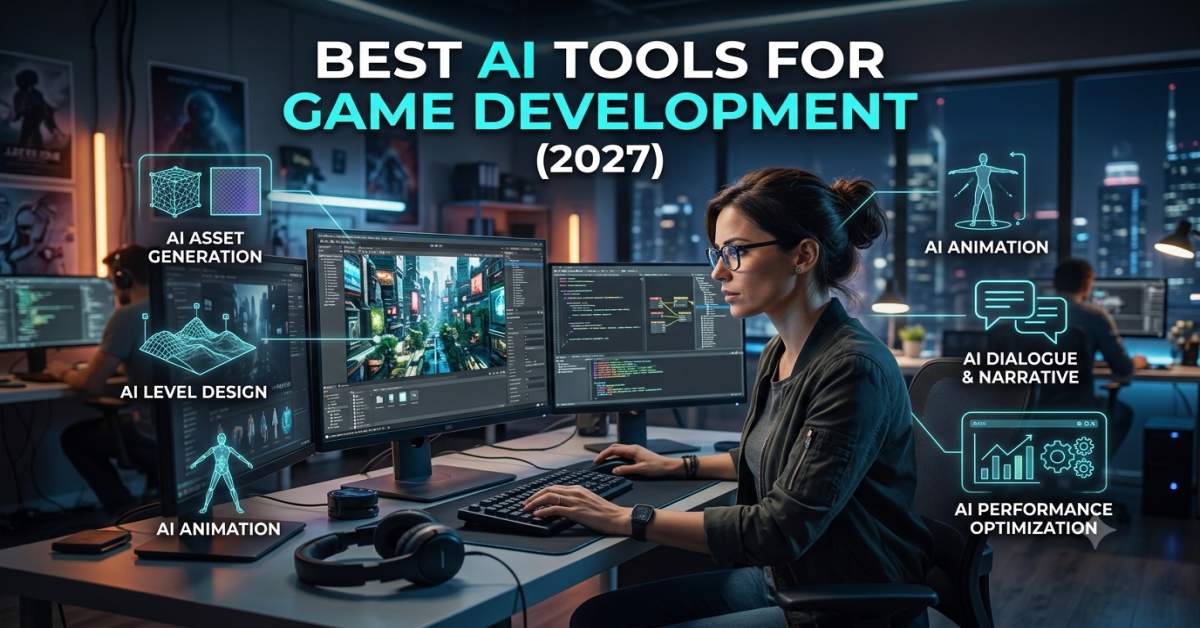
The best AI tools for game development depend on the task you want to speed up. Unity AI helps with Unity workflows. ChatGPT and Claude help with code, logic, debugging, and design ideas. Scenario helps with 2D assets. Meshy helps with 3D models and textures. Cascadeur helps with animation. ElevenLabs and Inworld help with voice, audio, and character dialogue.
I do not see these tools as a magic wand. I see them as a smart helper. They can give me a first draft, but I still test the game, check the rights, and review the final work.
What You Will Learn
AI tools for game development help creators build game parts with less manual work. They can help with scripts, code review, art ideas, sprites, 3D models, textures, character motion, voice, dialogue, and game research.
My main advice is simple. Choose tools by production stage. Use coding tools when scripts break. Use art tools when you need visual ideas. Use 3D tools when you need props or texture tests. Use voice tools when dialogue needs a quick sound check.
AI can save time, but every output needs review. A game is not simply a set of files in a folder. It is feel, timing, feedback, balance, and player trust.
AI game tools support six major production areas: code, 2D art, 3D assets, animation, audio, and design support. Most creators get better results by combining task-based tools rather than using a single general tool for everything.
For example, I would use Unity AI for a Unity project, ChatGPT or Claude for coding help, Scenario for 2D art tests, Meshy for 3D props, Cascadeur for animation, and ElevenLabs or Inworld for dialogue. This kind of stack keeps each tool in its lane.
AI game development tools are software platforms that use artificial intelligence to help create game code, art, assets, animation, dialogue, levels, and design ideas. The right tool depends on the task, such as coding, 2D art, 3D models, animation, voice, or game research.
What Are AI Tools for Game Development?
AI game development tools are apps that help make game parts with AI. You may also hear them called AI game tools, game creation AI tools, AI coding tools for games, AI asset tools, or AI game design tools. here are 10 Best AI Tools for Mobile App
These tools can help with small tasks or full project drafts. Some write scripts. Some create sprite ideas. Some turn text into 3D objects. Some help NPCs talk.
I think of them like a game dev backpack. You do not use every item at once. You pull out the one that solves the current problem.
The key point is this. AI can help you create faster, but it cannot decide what makes your game fun. That still comes from design, testing, and gamer feedback.
Why AI Tools Matter for Game Creators
Game development has many moving parts. Even a small game can need code, sprites, UI, sound, levels, menus, enemies, scoring, and bug fixes. That is a lot for one brain and one cup of coffee.
I have seen “simple” game ideas turn into long task lists. A tiny platformer may need jump physics, camera control, level tiles, sound cues, menu buttons, and save logic. The first idea is fun. The task list can bite.
AI helps by giving first drafts. It can help me test a game loop, write a script, compose a shop item list, or create a placeholder prop. That keeps the project moving.
The best use is not blind trust. The best use is guided support. I ask for help, then I test what comes back.
How I Chose These Tools
I chose these tools based on real game tasks. A coding tool should help with scripts and bugs. An art tool should help create editable visual ideas. A 3D tool should help make assets that can be tested in an engine.
I also looked at fit. Some tools are better for beginners. Some are better for studios. Some are best for those who already use Unity, Unreal, Blender, or a similar workflow.
I also care about reviews. If I cannot edit the output, test it, export it, or check the license, I treat it with caution. A fast asset is not useful if I cannot use it safely.
My rule is simple. A good AI game tool should save time without taking away creative control.
Main Types of AI Game Tools
AI tools in game creation fall into clear groups. This makes the search much less noisy. It also helps avoid buying the wrong tool.
The main groups are coding and engines, 2D art, 3D assets, animation, audio, and design support. Each group solves a different pain point.
A solo creator may need all of them at different times. A team may only need one or two. The task decides the tool.
1. Code Generation and Game Engines
Coding tools help with scripts, gameplay logic, bug fixes, editor questions, and system planning. They are useful for Unity, Unreal, Godot, Roblox, and custom engines.
Unity AI is useful for Unity-based work because it can help inside the editor workflow. ChatGPT and Claude can help with C# logic, pseudocode, bug notes, dialogue scripts, and design planning.
Unreal developers may prefer Epic Developer Assistant or other Unreal-focused helpers. These tools can answer engine questions, guide workflow, and help with C++ or Blueprint ideas. See here are 100 Best AI Tools for Developers
Use coding and engine AI tools when you need help with scripts, gameplay logic, engine questions, or debugging.
2. 2D Asset and Concept Art Tools
2D tools support sprites, item icons, card art, backgrounds, character concepts, UI art, and mood boards. They are useful when the game needs a visual direction before final art starts.
Scenario is a strong option for game asset work because it focuses on style and asset workflows. Ludo.ai can help with ideas and early creative direction. Other image tools can help test concepts.
I like 2D tools for early art tests. They help answer the question, “What could this game look like?” That saves time before hiring an artist or drawing full sets.
Use 2D AI tools for concept art, sprite ideas, icons, backgrounds, or visual style tests.
3. 3D Modeling and Texture Tools
3D tools help create models, props, environment objects, textures, and creature drafts. They can be useful for Unity, Unreal, Blender, and other 3D workflows.
Meshy is a strong choice here because it supports text-to-3D, image-to-3D, and texture workflows. This is useful when I need a prop draft or a fast visual test.
Still, 3D assets need checks. I look at shape, texture quality, file type, polygon count, scale, and engine performance. A pretty model can still hurt frame rate.
Use 3D AI tools when you need prop drafts, texture tests, prototype objects, or early environment assets.
4. Animation and Motion Tools
Animation tools help with poses, keyframes, character movement, motion cleanup, and action tests. These tools are useful for jumps, attacks, runs, dodges, and cutscene motion.
Cascadeur is useful for AI-assisted keyframe animation and physics-based motion. DeepMotion, Rokoko Vision, and similar tools can help with motion-capture-style workflows.
Game animation is about feel. A jump must feel right. A hit must land with timing. AI can write a motion, but the game designer still needs to tune it.
Use AI animation tools when you need movement drafts, pose ideas, motion cleanup, or faster character tests.
5. Audio, Voice, and Dialogue Tools
Audio tools help with voice drafts, narration, NPC dialogue, sound tests, and temp audio. They can help with narrative games, trailers, prototypes, and cutscenes.
ElevenLabs is useful for voice and narration tests. Inworld is useful for interactive NPCs and character systems. These tools help me hear how dialogue may feel before final recording.
Voice needs care. Rights, consent, tone, and platform rules matter. I would not use an AI voice in a release without checking the terms.
Use AI audio tools when you need placeholder voices, narration tests, NPC dialogue, or early sound ideas.
6. Game Research and Design Support
Design support tools help with game ideas, market notes, feature lists, genre checks, level plans, and game design documents. They are useful before production gets expensive.
Ludo.ai is useful for game research and for supporting game design. ChatGPT and Claude can help regarding quests, mechanics, item systems, balance ideas, and player questions.
Research is useful, but playtesting wins. A design doc can sound smart and still feel dull in play. I always test the loop.
Use game design AI tools when you need ideas, feature planning, level notes, or a clearer game design document.
Best AI Tools for Game Development Compared
The table below gives a quick view of the main tools and where they fit.
Pricing Comparison
AI pricing changes often. I always check the official pricing page before using any tool for client work or commercial game assets.
1. Unity AI
Unity AI is best for creators who already build inside Unity. It helps with Unity-based workflows, coding help, asset support, and editor tasks.
I like the in-engine help because it reduces back-and-forth. You are not copying every question into a separate tool. You can keep more focus on the scene, object, script, or workflow.
Unity AI is a good fit for solo creators and small teams who use Unity. It can help with repetitive tasks, scene work, and game logic.
Unity AI is best for Unity users who want AI support inside their game development workflow.
Unity AI Pros
- Works well for developers who already build games inside Unity.
- Helps with Unity-based coding, editor tasks, asset support, and workflow help.
- Useful when I want help without leaving the Unity workflow.
- Can help reduce repeated setup work and small editor tasks.
- Good for solo creators and small teams building Unity projects.
- Helpful for testing ideas faster during early game production.
Unity AI Cons
- Less useful if your project uses Unreal, Godot, Roblox, or another engine.
- AI output still needs testing inside the actual game scene.
- Game logic still needs human review before release.
- Plan access, credits, and usage limits should be checked before serious use.
- It may not solve every custom gameplay problem or complex system.
- Final assets, scripts, and workflows still need quality checks.
2. ChatGPT
ChatGPT is useful for coding, debugging, game ideas, dialogue, logic, and design notes. I use it when I need plain-language help or a quick way to think through a system.
For example, I might ask it to explain a player health system, draft an enemy patrol script, or create a simple quest structure. It is also useful when an error message feels like it was written by a tired robot.
ChatGPT is not a game engine. It cannot test the feel of a jump. It cannot know if your combat loop is fun. You still need to run the game.
ChatGPT is best for code help, debugging, game ideas, dialogue drafts, and learning.
ChatGPT Pros
- Good for game coding help, logic planning, debugging, and plain language explanations.
- Useful for writing scripts, quest ideas, item systems, game rules, and dialogue drafts.
- Helps beginners understand game development concepts in simple words.
- Good for solo creators who need help thinking through game mechanics.
- Can help create fast first drafts for design docs, NPC lines, and game loops.
- Useful when I feel stuck and need a fresh way to think about a bug or feature.
ChatGPT Cons
- Code suggestions can be wrong, incomplete, or need edits before use.
- It cannot test the game inside Unity, Unreal, Godot, or any other engine.
- It needs clear prompts and enough project background to give better answers.
- It may not know the full structure of your project unless you explain it.
- Final output still needs human review, playtesting, and engine checks.
- It should not replace creative direction, gamer input, or quality control.
3. Claude
Claude is useful for long game design notes, code review, story systems, and dialogue planning. I would use it when a project has long text, long docs, or many moving parts.
It can help organize messy ideas. A character system, quest tree, item table, or economy note can become easier to read. That helps when a project starts to feel like a drawer full of cables.
Claude is also useful for reviewing plans. It can point out lacking rules, unclear logic, or weak spots in a design doc.
Claude is best for long design notes, writing, code review, and game system planning.
Claude Pros
- Good for long game design notes, story planning, code review, and system thinking.
- Useful for organizing quests, lore, item systems, balance notes, and dialogue plans.
- Helps turn messy ideas into well-defined sections, lists, and design documents.
- Good for writers, designers, and developers who work with long text.
- Can help review code logic and point out weak spots in a plan.
- Useful when I need a calm second read on a large game idea or feature plan.
Claude Cons
- It still needs fact-checking, code review, and human review.
- It cannot test gameplay in Unity, Unreal, Godot, or any other engine.
- Complex game systems may need several prompts and follow-up edits.
- It is not a game engine, asset tool, or animation tool by itself.
- It may miss project details if the entire context is not provided.
- Usage limits may matter for long files, large docs, or repeated reviews.
4. Scenario
Scenario is useful for 2D game assets, concept art, style tests, and visual pipelines. It is made with creative teams and game asset workflows in mind.
I would use Scenario when I need art direction before final production. It can help with sprites, icons, props, character concepts, and background ideas.
The key is style control. A game needs a clear look. If every asset feels like it came from a different planet, players will notice.
Scenario is best for 2D game assets, art style tests, and visual idea generation.
Scenario Pros
- Good for creating 2D game assets, concept art, sprites, icons, and visual ideas.
- Useful for testing a game art style before spending time on full-production art.
- Helps indie teams and solo creators create quick visual drafts.
- Can support more consistent visual direction across characters, items, and props.
- Helpful when I need to see how a game idea might look early in the project.
- Useful for mood boards, item ideas, character concepts, and background tests.
Scenario Cons
- Final assets still need an art review before use in a finished game.
- Good results need clear prompts, style references, and art direction.
- Not every output will be ready for game use without edits.
- Licensing and commercial usage conditions should be checked before release.
- Some projects may need paid credits or higher plan limits.
- It does not replace a skilled artist for final polish, style control, or brand feel.
5. Meshy
Meshy is useful for 3D models, textures, props, and prototype objects. It can help turn text or images into 3D drafts for testing in a game workflow.
I would use Meshy for fast prop ideas. A crate, statue, weapon, chest, rock, or small environment object can start as a draft. Then I would check and clean the result.
3D assets are more than looks. They need good scale, clean shapes, usable textures, and engine performance. A shiny model that slows the game is not a win.
Meshy is best for 3D model drafts, texture tests, and prototype game assets.
Meshy Pros
- Good for creating 3D model drafts from text prompts or images.
- Useful for props, environment objects, creatures, weapons, and texture ideas.
- Helps test 3D asset ideas faster during early game planning.
- Can support prototype work for Unity, Unreal, Blender, and other 3D workflows.
- Useful when I need a quick 3D prop draft instead of starting from a blank scene.
- Helps small teams and solo creators create early scene assets with less manual modeling work.
Meshy Cons
- Generated models may need cleanup before use in a finished game.
- Topology, polygon count, and UVs should be checked before use in the engine.
- Some models may not match the game’s particular style or scale.
- Game performance must be tested after the asset is imported.
- Commercial use, export rules, and plan limits should be checked before release.
- Final game assets may still need manual editing by a 3D artist.
6. Cascadeur
Cascadeur is useful for AI-assisted keyframe animation, character motion, and physics-based poses. It helps when characters need better movement drafts.
I would use it for jumps, attacks, dodges, action poses, and movement tests. It can help make motion feel less stiff before final tuning.
Animation still needs a human eye. A punch may be smooth but weak. A jump may be correct but dull. Timing is where the game feel lives.
Cascadeur is best for character animation, keyframe work, motion cleanup, and action tests.
Cascadeur Pros
- Good for character animation, keyframe work, poses, jumps, and action movement.
- Useful for creating motion drafts for combat, running, dodging, and character moves.
- Helps make character motion look more natural with physics-based tools.
- Useful when I need to test movement ideas before polishing the final animation.
- It can help animators speed up early motion planning and pose cleanup.
- Good for indie teams that need better character motion without having to start from scratch.
Cascadeur Cons
- Beginners may need time to learn the animation workflow.
- Not every animation will match the game’s particular style or feel.
- Final timing, weight, and game feel still need human review.
- Engine import, rig setup, and file export should be tested.
- Complex animation scenes may still need manual cleanup.
- It does not replace a skilled animator for final polish and creative direction.
7. ElevenLabs
ElevenLabs is useful for voice tests, narration, NPC dialogue, trailers, and temp audio. It can help you hear character lines before final voice work.
I like voice tools for testing tone. A line may read well but sound strange. Hearing it out loud can reveal weak writing fast.
Voice rights matter. I would not use a voice in a commercial release without checking consent, license terms, and platform rules.
ElevenLabs is best for voice drafts, narration tests, and dialogue prototypes.
ElevenLabs Pros
- Good for voice tests, narration drafts, NPC dialogue, and trailer voice ideas.
- Useful when I want to hear how character lines sound before the final recording.
- Helps writers test tone, pacing, and emotion in dialogue.
- Good for creating placeholder audio for prototypes and early game builds.
- Useful for story-driven games, cutscene drafts, and dialogue-heavy prototypes.
- Helps small teams test voice direction before hiring actors or recording final audio.
ElevenLabs Cons
- Final voice use needs rights, consent, and license review.
- Voice quality still needs audio checks before release.
- Overuse can make character voices feel too similar or flat.
- Paid limits may apply for longer scripts or larger projects.
- Commercial conditions of use should be checked before using the output in a game.
- AI voice should not replace clear writing, sound editing, or final audio review.
8. Inworld
Inworld is useful for AI characters, NPC dialogue, real-time voice, and interactive character systems. It fits games where characters need more than fixed dialogue trees.
I would use Inworld for story tests and for ideas on character behavior. It can help create NPCs that respond to players more flexibly.
This power needs rules. A live NPC should not say anything that breaks the story, tone, or safety needs of the game. Control matters.
Inworld is best for AI NPCs, character systems, real-time voice, and dialogue trials.
Inworld Pros
- Good for AI characters, NPC dialogue, and interactive story systems.
- Useful for testing character behavior, voice, and player conversations.
- Helps create more flexible NPC interactions than fixed dialogue trees.
- Good for story-driven games, role-play games, and dialogue-heavy prototypes.
- Useful when I want to test how a character might react to player input.
- Can help teams test AI character ideas before building a full system.
Inworld Cons
- Live NPC dialogue can be hard to control absent clear limits.
- It needs strong design rules so characters stay on story along with tone.
- Integration may need technical setup and engine knowledge.
- Safety, content rules, and player trust need careful review.
- Costs can rise when a game uses many live conversations or voice features.
- Final use needs QA, moderation, and clear fallback dialogue.
9. Ludo.ai
Ludo.ai is useful for game research, idea testing, design support, and concept planning. It can help with genres, market notes, game loops, and feature ideas.
I would use it early. This is the stage where you ask, “Is this idea worth testing?” Ludo can help shape the idea before you spend months building.
Still, market notes are not proof. Players decide with their time. A game needs playtesting, not just planning.
Ludo.ai is best for game ideas, market research, feature planning, and early design support.
Ludo.ai Pros
- Good for game ideas, market research, concept planning, and design support.
- Useful when I want to compare game concepts before starting production.
- Helps with genre checks, feature ideas, game loops, and early design notes.
- Good for solo creators and small teams during the planning stage.
- Helps reduce blank page stress when I need a starting point for a game concept.
- Useful for building a clearer game design direction before coding or asset work begins.
Ludo.ai Cons
- Research should still be checked with other sources before making big decisions.
- Ideas still need playtesting to see if they are actually fun.
- Market notes can become outdated, so fresh checks matter.
- It cannot prove that a game idea will succeed with players.
- Creative judgment is still needed to form the final idea.
- It is better for planning than for final game production tasks.
10. Epic Developer Assistant
Epic Developer Assistant is useful for guidance on Unreal Engine. It can help with engine questions, tips, C++ code, and workflow help.
I would use it when I want help inside the Unreal learning process. Unreal is deep. Sometimes you need a quick answer before you fall into a documentation cave.
It is not a replacement for engine testing. Unreal projects still need build checks, Blueprint review, performance testing, and gameplay tuning.
Epic Developer Assistant is best for Unreal Engine questions, workflow guidance, and code support.
Epic Developer Assistant Pros
- Useful for Unreal Engine questions, workflow guidance, and learning support.
- Helps with C++ guidance, Blueprint questions, and engine-related tasks.
- Good for developers who are learning Unreal workflows or checking engine features.
- Can reduce time spent searching for basic Unreal answers.
- Helpful when I need quick direction during an Unreal-based project.
- Useful for solo developers and small teams that need engine-specific help.
Epic Developer Assistant Cons
- It does not replace testing inside Unreal Engine.
- Answers still need review before applying them to a real project.
- Complex gameplay systems still need human planning and testing.
- It works best when the user already understands some Unreal basics.
- Feature access may depend on engine version, account access, or current support.
- It may not solve every issue or performance problem in custom projects.
Best Free AI Tools for Game Development
Free AI tools for game development are useful for learning, testing, and early drafts. Free plans often have limits, credits, watermarks, or export rules.
For coding and debugging, try free access to ChatGPT, Claude, and other coding helpers. If you use Unity or Unreal, check the current engine assistant access.
For 2D art and concepts, test free credits from Scenario or other image tools. For 3D models, test Meshy or similar 3D tools. For animation, check Cascadeur free access.
Free tools are best for prototypes, learning, and idea tests, but commercial work needs license checks.
Best AI Tool for Game Development Task
My Recommended AI Game Development Stack
For beginners, I would start with ChatGPT for code explanations, Unity AI if using Unity, Scenario or Ludo.ai for visual ideas, Meshy for simple 3D prop tests, and ElevenLabs for voice drafts.
For indie developers, I would use Unity AI or Epic Developer Assistant for engine help, ChatGPT or Claude for code and systems, Scenario for 2D assets, Meshy for 3D assets, Cascadeur for animation, and Inworld or ElevenLabs for dialogue.
For 2D game creators, I would use Scenario for art direction, Ludo.ai for ideas, ChatGPT for mechanics, and ElevenLabs for voice tests.
For 3D game creators, I would use Meshy for props, Cascadeur for motion, Unity AI or Epic Developer Assistant for engine help, and Claude or ChatGPT for gameplay logic.
My stack changes by game type, but I always use AI for drafts and humans for review.
How to Choose the Right Tool
Choose the tool based on the game task. Do not choose based only on buzz. That is how you end up with five subscriptions and one half-working menu screen.
Ask these questions first.
Pick the tool that solves your next production problem, not the one with the loudest demo.
Benefits of Using AI in Game Development
The main benefit is faster testing of ideas. AI can help me move from “what if” to a draft I can see, hear, or play.
AI also helps with learning. A new creator can ask why a script works. A designer can ask for a game loop. A writer can test dialogue tone.
AI helps solo creators most when the task is outside their comfort zone. A coder may need art ideas. An artist may need script help. A writer may need a working prototype.
AI helps with speed, learning, drafts, bug checks, and idea testing.
Challenges and Risks
The main risk is treating AI output as final. Game code, assets, voices, and dialogue all need review.
Rights matter. Some tools allow commercial use. Some have limits. Some outputs need extra checks. I always check terms before release.
Quality also matters. AI art can look generic. AI code can break. An AI voice can sound flat. AI 3D models can hurt performance.
AI helps a lot, but game quality still depends on testing, rights checks, human review, and gamer feedback.
Real World Game Development Scenarios
Solo Developer Making a 2D Platformer
I would use ChatGPT for jump logic, enemy behavior, and help with the save system. I would use Scenario for sprite ideas and Ludo.ai for level concepts.
I would use ElevenLabs only for voice tests or trailer drafts. I would not treat temp audio as final unless the rights are clear.
A solo 2D creator can use AI for code, sprite ideas, levels, and early voice tests.
Small Team Making a 3D Adventure Game
I would use Unity AI or Epic Developer Assistant for engine support. I would use Meshy for prop drafts and Cascadeur for character motion tests.
For NPCs, I would test Inworld. For story systems and quest notes, I would use Claude or ChatGPT.
A 3D team can use AI for engine help, props, animation, NPC tests, and design docs.
Student Building a First Game
I would keep the stack small. ChatGPT for explanations. Unity AI if using Unity. Free art and audio tools for prototypes.
The goal is learning. Do not chase perfect assets. Finish a small game first. A tiny finished game teaches more than ten big unfinished dreams.
Students should use AI to learn faster and finish small games.
Studio Testing a New Feature
A studio can use Ludo.ai for research, Claude for planning, and engine tools for prototypes. The team should review every output before it goes into production.
Studios also need a policy. Who can use AI? What can be uploaded? What can be shipped? These questions matter.
Studios should use AI for internal tests, with explicit rules and review.
Common Mistakes to Avoid
Use AI as a helper, then test the result like a developer who has been burned before.
Final Recommendation
If I were starting from scratch, I would choose the engine first. Unity users should test Unity AI. Unreal users should test Epic Developer Assistant.
For coding and debugging, I would use ChatGPT or Claude. For 2D assets, I would test Scenario. For 3D props, I would test Meshy. For motion, I would test Cascadeur. For voice and NPC dialogue, I would test ElevenLabs or Inworld.
The smart path is simple. Use AI for drafts, tests, and support. Then use human review for quality, rights, performance, and game feel.
The best AI tools for game development are the ones that help you build faster without losing control of the final game.
FAQs
What are the best AI tools for game development?
The best AI tools for game development include Unity AI, ChatGPT, Claude, Scenario, Meshy, Cascadeur, ElevenLabs, Inworld, Ludo.ai, and Epic Developer Assistant.
What are free AI tools for game development?
Free AI tools for game development may include free plans or trials from ChatGPT, Claude, Meshy, Scenario, Cascadeur, ElevenLabs, and other AI asset platforms. Always check current limits.
Which AI tool is best for Unity game development?
Unity AI is a strong choice for Unity users because it works with Unity-based workflows. ChatGPT and Claude can also help with C # scripts, logic, and debugging.
Can AI make a full game?
AI can help make parts of a game, including scripts, assets, dialogue, and prototypes. A finished game still needs design, testing, polish, performance checks, and human creative direction.
What AI tool is best for 3D game assets?
Meshy is a strong option for AI-generated 3D models and textures. Other tools such as Sloyd, Kaedim, and Tripo AI can also help with 3D asset drafts.
What AI tool is best for 2D game art?
Scenario is useful for 2D game assets and art style testing. Ludo.ai and image generation tools can also help with visual ideas and concept art.
Are AI-generated game assets safe to use commercially?
AI-generated game assets may be safe for commercial use if the tool license allows it and the assets pass review. Always check terms, rights, and platform rules before release.
Can AI replace game developers?
AI can help with drafts, code, art tests, and planning, but it does not replace game design, testing, creative judgment, gamer feedback, or final quality checks.
Which AI tool is best for game dialogue?
ChatGPT and Claude can help write dialogue drafts. ElevenLabs can help test voice. Inworld can help with interactive NPC dialogue.
Should beginners use AI for game development?
Yes, beginners can use AI to learn scripts, test ideas, and build small prototypes. The best goal is to finish a small game, not chase a huge project too early.




Leave a Reply