
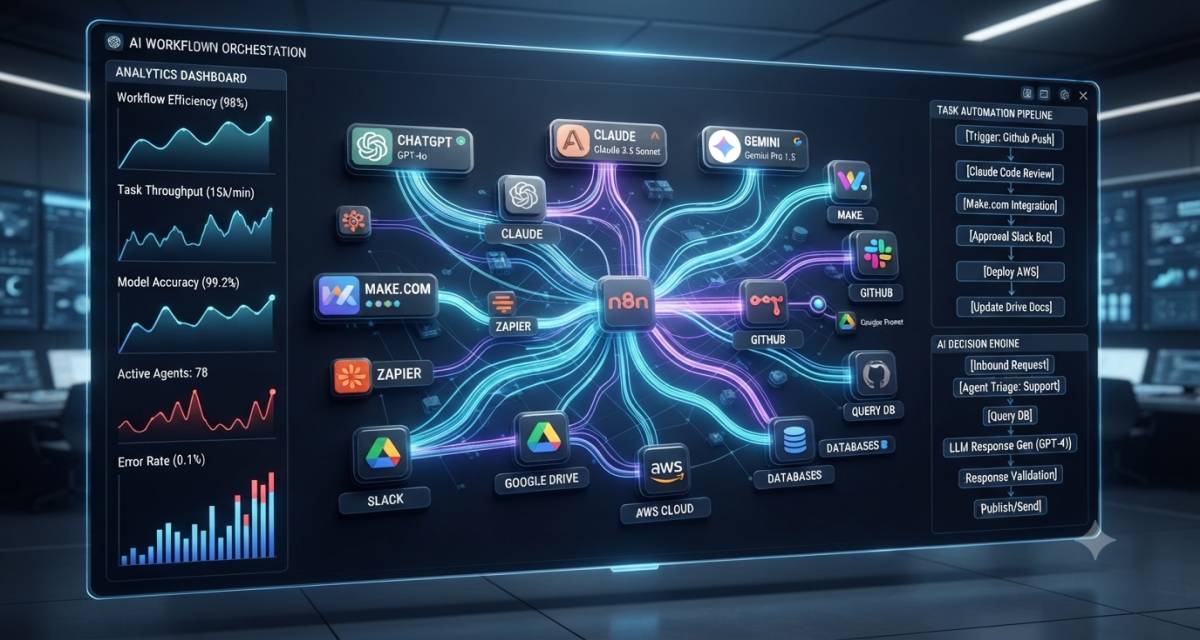
AI workflows often start with a simple prompt connected to a single tool. Then the workflow grows. The model needs to fetch data, call APIs, ask another agent for help, wait for human approval, retry failed steps, and write logs for review.
That is where AI workflow orchestration systems come in. They provide the structure that connects each step as workflows grow.
An AI orchestration system coordinates how models, agents, tools, data, and people work together. It does not just “run AI.” It decides what happens first, what happens next, what should stop, what should be reviewed, and what should be passed to another part of the system.
This guide explains the concept in plain language. It is written for Saas developers, SaaS founders, technical managers, and business owners who want to understand how AI workflows move from experiments to real software.
Table of Contents
The simple answer: what AI orchestration means
AI workflow orchestration is the process of controlling multi-step AI tasks across models, agents, tools, data sources, and human review points.
A basic AI task may look like this:
- User sends a request.
- The model generates an answer.
- The app shows the answer.
An orchestrated AI workflow may look like this:
- User submits a support question.
- The system classifies the issue.
- It retrieves account data from a CRM.
- It checks company policy.
- It asks a specialist agent to draft a reply.
- It routes risky cases to a human.
- It logs the decision.
- It sends the response after approval.
The difference is control.
Without orchestration, an AI feature may behave like a smart text box. With orchestration, it becomes part of a managed workflow. That shift from isolated output to coordinated process is the key difference.
Why normal automation is not enough for AI workflows
Traditional automation works well when rules are clear. For example, “When a form is submitted, send an email and create a CRM record.” The steps are fixed. The conditions are predictable.
AI workflows are different because the input may be messy, the output may vary, and the system may need to make judgment calls.
A normal automation tool can move data from one app to another. An AI orchestration layer can decide which model to use, which tool to call, whether the answer needs review, and what to do if the model gives an uncertain answer. That added decision-making is what makes orchestration essential for AI workflows.
That matters because AI systems often need:
- Context from multiple sources
- Branching paths
- Tool calls
- Retry logic
- Memory or state
- Human approval
- Monitoring
- Safety checks
- Cost control
OpenAI’s Agents SDK documentation, for example, separates agent definitions from orchestration, handoffs, guardrails, human review, state, and observability as workflows grow more complex.
The goal is not to let AI act without limits. The goal is to give AI a clear operating path.
What an AI orchestration system actually coordinates
A useful orchestration system manages more than prompts. It provides structure to every moving part of the workflow, from the models and tools to subsequent review points.
Models and prompts
Many AI workflows use more than one model. A low-cost model may classify a request. A stronger model may draft a technical answer. Another model may check tone, policy, or factual consistency.
The orchestration layer decides:
- Which model should handle each step?
- What prompt or instruction should be used?
- Whether the output is good enough
- Whether another pass is needed
- Whether the task should stop
This helps teams avoid using one large model for every step.
Tools, APIs, and business systems
AI becomes more useful when it can work with real systems. That may include a CRM, a database, a help desk, a code repository, a billing tool, a search index, or an internal knowledge base.
The orchestration system controls which tools the AI can access and under what conditions.
For example, a billing assistant may be allowed to read invoice status but not issue refunds unless a human approves the action.
That separation matters. Tool access should follow business rules, not model confidence alone.
State, memory, and context
Many workflows need to remember what happened earlier. A support case, sales qualification flow, or code review process may need to be stated across several steps.
LangGraph describes its role as supporting long-running, stateful workflows and agents. Its documentation says it provides low-level infrastructure rather than hiding the architecture behind a fixed prompt abstraction.
State helps answer questions such as:
- What has already been checked?
- Which agent handled the last step?
- What did the user approve?
- Which tool call failed?
- What context should be carried forward?
Without a state, AI workflows become hard to debug. That is why memory and context matter across steps.
Humans, approvals, and fallback paths
Human review is still needed for sensitive actions. This includes legal decisions, financial approvals, customer refunds, production code changes, medical information, private customer data, and security-related tasks.
Good orchestration makes human review part of the workflow, not an afterthought.
A safer workflow may say:
- Low-risk answers can be sent automatically.
- Medium-risk answers need review.
- High-risk actions are blocked until a human approves them.
- Failed AI steps are routed to a human queue.
Microsoft Agent Framework also highlights graph-based workflows with checkpointing and human-in-the-loop support, which shows how orchestration is becoming part of production AI architecture.
How AI workflow orchestration works in practice
The easiest way to understand orchestration is to look at workplace scenarios. The examples below show how the same idea works in practice.
A support triage example
A SaaS company receives hundreds of support tickets each week. Some tickets are simple password issues. Others involve billing, bugs, account permissions, or security questions.
An orchestrated AI workflow could:
- Read the ticket.
- Classify the issue type.
- Check the user plan and account status.
- Search product documentation.
- Draft a response.
- Detect risk level.
- Send low-risk replies.
- Escalate sensitive cases to support staff.
The AI is not replacing the support team. It is reducing repetitive triage and helping agents respond faster.
A developer productivity example
A software Developers team wants AI to help review pull requests. A basic AI tool may summarize code changes. An orchestrated workflow can do more.
It could:
- Read the pull request.
- Identify changed files.
- Check related tickets.
- Run static analysis.
- Ask a code-review agent to inspect risky files.
- Ask a test-generation agent to suggest missing tests.
- Send security-sensitive findings to a senior reviewer.
- Post a structured review comment.
The workflow should never blindly merge code. It should support review, testing, and decision-making.
A SaaS operations example
A founder wants to automate lead qualification. The workflow may connect website forms, email, CRM data, enrichment tools, and internal scoring rules.
The orchestration layer could:
- Capture the lead.
- Classify company type.
- Enrich missing fields.
- Score fit.
- Draft a personalized email.
- Route enterprise leads to sales.
- Add low-fit leads to a nurture sequence.
- Log every decision in the CRM.
This is not just AI writing an email. It is AI working inside a business process.
Common orchestration patterns teams use
Different workflows need different structures. A simple chain may be enough for one use case. A complex system may need agents, branching, parallel tasks, and review gates. The patterns below show the most common approaches.
Sequential workflows
A sequential workflow runs steps one after another.
Example:
- Classify the request.
- Retrieve data.
- Generate an answer.
- Check the answer.
- Send response.
This works well when the process is predictable.
Branching workflows
A branching workflow chooses a path based on conditions.
Example:
- If the user asks a billing question, check invoices.
- If the user reports a bug, create an engineering ticket.
- If the request contains private data, route to review.
Branching gives AI workflows structure without relying only on model judgment.
Multi-agent handoffs
In a multi-agent workflow, different agents handle different roles.
One agent may classify the task. Another may retrieve data. Another may draft a reply. Another may check the policy.
OpenAI’s Agents SDK describes handoffs as a way for one agent to delegate tasks to another, such as routing customer support issues to specialized agents for order status, refunds, or FAQs.
Handoffs are useful when one general agent becomes too broad or hard to control.
Parallel review workflows
Some tasks can run at the same time.
For example, a product feedback workflow may ask one agent to summarize customer pain points, another to detect feature requests, and another to map feedback to existing roadmap items.
The system can then combine the outputs into one review package.
Microsoft’s Agent Framework documentation lists sequential, concurrent, handoff, group chat, and manager-style orchestration patterns for multi-agent work.
Human-gated workflows
A human-gated workflow pauses before sensitive actions.
Use this pattern for:
- Refunds
- Contract edits
- Production deployments
- Security responses
- Medical or legal content
- Customer account changes
- High-value sales communication
The workflow can prepare the work, but a human makes the final decision.
What to check before choosing a system
A team should not choose an AI orchestration system only because it is popular. The right choice depends on workflow shape, engineering skill, risk level, and production needs. Before deciding, check how the system handles control flow and observability.
Control flow
Ask how the system handles:
- Sequences
- Branching
- Loops
- Retries
- Parallel steps
- Agent handoffs
- Failure paths
- Human review
LlamaIndex Workflows describes workflows as event-driven and step-based, in which a step receives an event, performs work, and returns another event that triggers the next step.
That event-driven model can be useful for AI apps where the next step depends on what happened before.
Observability
You need to see what the workflow did.
Check whether the system records:
- Model inputs and outputs
- Tool calls
- Agent handoffs
- Errors
- Latency
- Token usage
- Review decisions
- Final result
OpenAI’s Agents SDK includes tracing for LLM generations, tool calls, handoffs, guardrails, and custom events during an agent run.
Without observability, debugging AI workflows becomes guesswork.
Data security
Before connecting AI to private systems, define what data it can access.
Teams should avoid pasting API keys, private credentials, customer records, proprietary code, or confidential business data into AI tools without approval.
A safer setup includes:
- Least-privilege tool access
- Environment-based secrets
- Redaction where needed
- Audit logs
- Human approval for sensitive actions
- Clear data retention rules
- Vendor review before production use
Security is not only a vendor question. It is also a workflow design question.
Integration depth
Check whether the system can connect to your actual stack.
For developer teams, that may include GitHub, GitLab, Jira, Slack, PostgreSQL, cloud functions, CI/CD, logging tools, and internal APIs.
For business teams, that may include HubSpot, Salesforce, Zendesk, Intercom, Notion, Google Workspace, Stripe, Shopify, or Airtable.
A system with weak integration support may work in a demo but fail in real operations.
Developer experience
Developers should review:
- Local development setup
- SDK quality
- Documentation
- Testing support
- Type safety
- Version control fit
- Deployment options
- Error handling
- Community and maintenance status
For example, Microsoft’s AutoGen GitHub repository says AutoGen is now in maintenance mode and directs new users to the Microsoft Agent Framework. That kind of status check matters before a team builds production workflows on a framework.
Evaluation and testing
AI workflows need testing beyond “the answer looked good.”
Teams should test:
- Prompt changes
- Tool-call accuracy
- Hallucination risk
- Retrieval quality
- Edge cases
- Security boundaries
- Cost spikes
- Latency
- Human review rates
- Failure recovery
A good workflow should be evaluated with real examples from the business, not only sample prompts. Explore more prompt engineering for developers workflow
Risks that need planning
AI orchestration creates value by giving AI access to more context and tools. That also creates risk.
The main risks include:
- Wrong tool call
- Private data exposure
- Poor routing decision
- Overconfident answer
- Hidden failure in one step
- No clear owner for output
- Expensive model usage
- Hard-to-debug agent behavior
- Weak approval process
- Workflow drift after prompt changes
The most common mistake is giving AI too much responsibility too early.
A better approach is to start with low-risk workflows. Let AI draft, classify, summarize, or recommend. Keep humans in control of actions that affect money, security, customers, legal obligations, or production systems.
Treat the workflow like software. It needs logs, tests, permissions, rollback plans, and owners.
A practical adoption path for teams
You do not need to build a large multi-agent system on day one. Start with one workflow that is repetitive, measurable, and low-risk.
A practical adoption path looks like this:
- Pick one workflow
Choose a process with clear steps, such as support triage, lead qualification, internal search, report drafting, or code review assistance. - Map the current process
Write down what happens today, who approves what, and where delays happen. - Separate AI steps from rule-based steps
Do not use AI for every decision. Use rules where rules work better. - Define tool permissions
Decide what the AI can read, what it can write, and what requires approval. - Add human gates
Place review steps before sensitive actions. - Log every run
Store inputs, outputs, tool calls, errors, and decisions. - Test with real cases
Use past tickets, leads, pull requests, or reports. - Measure results
Track time saved, review rate, error rate, escalation rate, cost, and user satisfaction. - Expand slowly
Add more workflows only after the first one is stable.
This path helps teams avoid the trap of building a complex agent system before they understand the workflow.
FAQ
What is AI workflow orchestration?
AI workflow orchestration is the process of coordinating AI models, agents, tools, data sources, and human review steps inside a multi-step workflow. It controls what happens first and next, when to call a tool, when to stop, and when a human should review the result.
How is AI orchestration different from automation?
Automation follows fixed rules. AI orchestration can handle variable inputs, route tasks to different agents or tools, use model judgment, and add review gates. It is useful when the process needs both structured logic and AI reasoning.
Do AI workflows always need multiple agents?
No. Many useful workflows rely on a single model with clear steps, tools, and guardrails. Multi-agent systems are useful when tasks require separate roles, such as research, planning, drafting, checking, and approval.
What are examples of AI orchestration?
Examples include support ticket routing, AI-assisted code review, sales lead qualification, internal knowledge search, invoice review, marketing content review, document processing, and incident triage. The common pattern is that AI operates across several steps, not just a single prompt.
Are AI workflow orchestration systems safe?
They can be safe when designed with permissions, logs, human approval, testing, and data controls. They become risky when teams give agents broad access to private data, production systems, or customer actions without review.
What should developers check before using an AI orchestration framework?
Developers should check control flow, state management, tool integration, observability, testing support, deployment options, security controls, and maintenance status. They should also confirm whether the framework fits the workflow shape rather than choosing based on popularity.
Can AI orchestration replace developers or operations teams?
No. It can reduce repetitive work and support decision-making, but people still need to design workflows, review outputs, test behavior, manage risk, and approve sensitive actions. AI works best as a controlled support layer inside a clear process.
Conclusion
AI orchestration is less about adding more agents and more about adding structure. A useful workflow specifies what AI can and cannot do, what data it can access, what needs to be reviewed, and how every step should be logged.
For developers, the main task is to turn uncertain model behavior into controlled software behavior. For SaaS founders and business teams, the main task is to choose workflows where AI can reduce manual effort without creating unnecessary risk.
Start with one clear process. Keep permissions narrow. Add human review where the cost of a mistake is high. Measure the workflow before expanding it.
After this educational guide, the natural next step is a separate tool comparison or implementation tutorial, depending on whether the reader wants to choose a framework or build a working workflow.




Leave a Reply