
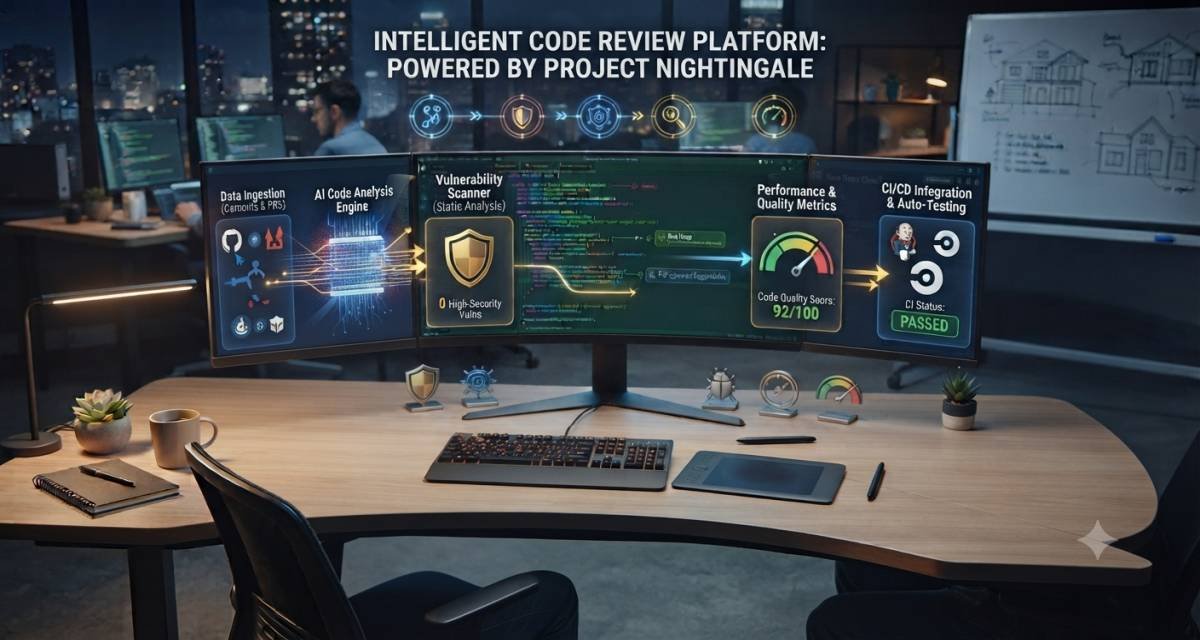
Ai code review systems use AI, automation, and code analysis to help software teams review changes before they are merged. They can scan pull requests, explain risky changes, suggest improvements, flag missing tests, and help reviewers focus on higher-value decisions.
They do not replace human reviewers. A good review process still needs developer judgment, testing, security checks, and clear merge rules.
This guide is for developers, software engineers, SaaS founders, technical managers, coding learners, and business owners who want to understand how AI-assisted code review works in real development workflows.
You will learn:
- What does AI-assisted code review mean
- How it works inside pull requests
- Where does it help developers most?
- What risks teams need to control
- How to choose and evaluate a review setup
- How to roll it out safely
What Is an AI-Assisted Code Review System?
An AI-assisted code review system is a tool that reviews source code changes and gives feedback before the code is merged. It may comment on bugs, missing tests, unclear logic, risky patterns, style issues, security concerns, or recordkeeping gaps.
The system usually works inside a pull request, merge request, IDE, or CI/CD pipeline. It reads the code change, checks the surrounding context, and returns comments that developers can accept, reject, or discuss.
How it differs from manual code review
Manual code review depends on human reviewers. A senior developer, team lead, or peer checks the code and decides whether it is ready.
AI-assisted review gives a first layer of feedback. It can point out common issues before a human reviewer spends time on the pull request.
Example:
A backend developer opens a pull request that changes a payment validation function. The AI review system may flag that the new condition has no test for a failed payment status. The human reviewer then checks whether the comment is valid and asks for a test if needed.
How it differs from static analysis
Static analysis tools scan code using defined rules. They are good for style, syntax, known vulnerabilities, type issues, and code patterns.
AI review tools can read a wider context. They may explain why a change is risky, suggest a clearer implementation, or connect a change to missing tests. They may also be wrong, so teams should not treat them as the final authority.
Common Mistakes to Avoid:
- Treating AI review comments as automatic truth
- Replacing senior review with AI comments
- Ignoring static analysis because AI is available
Key Takeaway:
AI-assisted review works best as a support layer. It helps reviewers find issues faster, but humans still decide whether the code is correct, secure, and ready to merge.
Why Code Review Is Changing
Code review is changing because developers now create code faster with AI coding assistants, code generators, templates, and automation. More code output creates more review pressure.
When teams generate code faster than they review it, quality can drop. Bugs, weak tests, unclear logic, and unsafe patterns may creep into production.
Faster code output creates more review work
AI coding assistants can help developers write functions, tests, scripts, and documentation faster. That speed is useful, but it shifts the pressure to review.
A team may produce more pull requests each week. Reviewers then need to check more changes in less time. If the process is weak, reviews become shallow.
AI-assisted review can help by giving first-pass comments before the human reviewer starts.
Review quality affects security and maintainability
Code review is not only about style. It affects product stability, user safety, team speed, and long-term maintenance.
Good reviewers check questions like:
- Does the code solve the right problem?
- Are edge cases handled?
- Are tests meaningful?
- Does the change expose data?
- Is the logic easy to understand?
- Does it increase technical debt?
- Could it affect deployment or runtime behavior?
An AI system may help ask these questions, but it cannot fully understand product goals or business risk.
AI can support reviewers, but it cannot own the review
A review system may suggest. A human must decide.
For example, the system may comment that a database query could be inefficient. The reviewer still needs to check the actual database size, indexes, query plan, and product context.
Common Mistakes to Avoid:
- Measuring code review only by speed
- Allowing AI-generated code to skip normal review
- Treating “no AI comments” as proof that the pull request is safe
Key Takeaway:
Code review is becoming more important, not less. AI can reduce review load, but teams need stronger review discipline as code output increases.
How AI Code Review Works
An AI code review workflow usually starts when a developer opens a pull request or requests a review in an editor. The system reads the code diff, collects context, checks patterns, creates comments, and may suggest fixes.
Behind the scenes, it often combines several methods: static checks, repository context, language models, coding guidelines, security rules, and feedback history.
Pull request and diff analysis
The diff shows what changed. It is the main input for review.
The system may inspect:
- Added lines
- Removed lines
- Modified functions
- Changed dependencies
- Test files
- Configuration files
- Database migrations
- API changes
- CI/CD files
A small change can still be risky. For example, changing one authorization condition may affect many users.
Repository and context awareness
A useful system should understand more than the changed lines. It should check surrounding files, related tests, shared utilities, naming patterns, and existing project rules.
Example:
A developer adds a new validation helper. The review system checks similar helpers and notices that the project usually returns typed error objects, but the new helper returns plain strings. It flags the inconsistency.
Rule-based checks and model-based reasoning
Rule-based checks are useful for clear patterns. These may include lint rules, dependency checks, test coverage rules, and known security issues.
Model-based reasoning helps with more general comments, such as unclear logic, missing edge cases, inconsistent naming, or confusing control flow.
A strong review setup uses both. Rule-based checks catch known issues. AI comments help with context and explanation.
Review comments and suggested fixes
The output usually appears as review comments inside the pull request or editor. Some systems may suggest exact code changes.
A good comment should be:
- Specific
- Short
- Linked to the changed line
- Clear about the risk
- Easy to accept or reject
- Useful without blocking the reviewer
Common Mistakes to Avoid:
- Reviewing only changed lines and ignoring the surrounding context
- Creating long comments that developers will not read
- Suggesting fixes without providing an explanation
Key Takeaway:
AI-assisted code review is a pipeline. The quality depends on input context, rules, model behavior, comment quality, and human review.
Where AI Review Fits in the Development Workflow
AI review can help before a pull request is opened, during review, after human comments are added, and before it is merged. The best placement depends on team size, risk level, and codebase maturity.
Before opening a pull request
Developers can run a local review before creating a pull request. This helps catch simple faults early.
Useful checks include:
- Missing tests
- Unused variables
- Weak error handling
- Poor naming
- Repeated code
- Unclear comments
- Basic security risks
Example:
A developer finishes a feature branch and asks for a local review. The system reports that a new service method has no test for invalid input. The developer fixes it before asking teammates to review.
During pull request review
This is the most common place for AI review. The system reads the pull request and leaves comments for the developer and reviewer.
A good process is:
- Developer opens pull request.
- Automated checks run.
- AI review gives first-pass comments.
- Developer fixes valid comments.
- Human reviewer checks the final logic.
- Pull request is approved or sent back.
After human feedback
AI can also help after human comments. It can summarize feedback, group repeated comments, or suggest a small fix.
Example:
A reviewer asks the developer to simplify a nested condition. The developer asks the system for a cleaner version, then manually checks and edits the result.
Before the merge and deployment
Before merging, the team should check:
- Tests passed
- Security scans passed
- Required reviews completed
- Risky files reviewed
- Documentation updated if needed
- Migration or deployment notes added
- Rollback plan exists for risky changes
AI can support the checklist, but merge approval must follow team rules.
Common Mistakes to Avoid:
- Running an AI review only after humans have already spent time
- Allowing AI comments to delay every minor pull request
- Merging code because AI did not flag a problem
Key Takeaway:
AI review is most useful when it catches low-level faults early and leaves human reviewers free to focus on architecture, risk, and product logic.
Main Use Cases for Development Teams
AI-assisted review is useful for missing tests, risky logic, readability issues, junior developer support, and large pull requests. It is less useful when the system lacks information or when the change requires deep product judgment.
Finding missing tests
AI can compare the changed logic with existing tests and suggest missing cases.
Example:
A developer adds a discount rule for annual plans. The review system checks the test folder and notices there is no test for expired coupons. It suggests adding one.
This helps because test gaps are easy to miss during fast development.
Flagging risky logic changes
A review system can flag changes in sensitive areas, such as authentication, payments, permissions, user data, or database migrations.
Example:
A pull request changes an admin permission check. The system notes that the condition allows for a broader role than before. The reviewer then checks whether that change was intentional.
Improving readability
AI can suggest clearer names, smaller functions, simpler conditions, or better comments.
This is useful for teams that want consistent code quality without changing every review into a style debate.
Supporting junior developers
Junior developers usually need feedback on patterns, tests, and project conventions. An AI review can give early comments before senior engineers review the code.
The system should not shame or overwhelm the developer. Comments should be practical and tied to the code.
Helping reviewers handle large pull requests
Large pull requests are hard to review. AI can summarize changed areas, highlight risky files, and point reviewers to possible problem zones.
This does not make a large pull request ideal. Teams should still prefer smaller changes where possible.
Common Mistakes to Avoid:
- Using AI review as a training substitute
- Letting large pull requests become normal
- Accepting readability suggestions without checking behavior
Key Takeaway:
An AI review is most helpful for repeatable review work. It can catch common issues and guide attention, while human reviewers handle deeper judgment.
Benefits of AI-Assisted Code Review
AI-assisted code review can speed up first-pass feedback, improve consistency, reduce reviewer fatigue, and help teams maintain better review habits. The main value is not that AI finds everything. The value is that it helps teams review earlier and more consistently.
Faster first-pass feedback
Programmers frequently wait for a teammate to review a pull request. AI can provide early comments while the team waits for human review.
This helps developers fix simple problems before asking for approval.
More consistent review prompts
Human reviewers vary. One reviewer may focus on tests. Another may focus on readability. Another may focus on security.
AI can apply a shared checklist across pull requests. For example:
- Are tests updated?
- Are error cases handled?
- Is user input validated?
- Are secrets exposed?
- Is the change documented?
- Are risky files modified?
Better documentation discipline
Review systems can remind developers to update docs, comments, changelogs, or API notes when code changes require it.
Example:
A developer changes an API response field. The system reports that the API documentation still shows the old field name.
Reduced reviewer fatigue
Review fatigue happens when reviewers see too many small issues. AI can catch simple items first, so human reviewers spend more time on design, behavior, and risk.
Common Mistakes to Avoid:
- Expecting AI review to catch every defect
- Creating too many low-value comments
- Measuring benefit only by comment count
Key Takeaway:
AI-assisted review can improve speed and consistency. It works best when the team uses it to support clear review standards, not to replace human responsibility.
Risks, Limits, and Security Concerns
AI code review has limits. It may miss serious bugs, misunderstand context, create false confidence, or suggest changes that are not safe for the project. Teams need testing, security scanning, and human review to control these risks.
AI may miss serious flaws
AI can be good at explaining visible issues, but it may miss deeper problems. These include authorization flaws, business logic bugs, race conditions, insecure data flow, and architecture-level risk.
A review comment is only a signal. It is not proof.
False confidence is dangerous
The biggest risk is not that AI is imperfect. The bigger risk is that developers trust it too much.
If a pull request receives no AI comments, the team may assume it is safe. That is a weak process. The review still needs tests, human assessment, and security checks.
Sensitive code and private data need policy controls
Teams should define what the review system can access. This matters for proprietary code, customer data, credentials, private repositories, regulated data, and security-sensitive files.
Rules should cover:
- Which repositories can use AI review?
- Which files are excluded
- Whether the code leaves the company environment
- How logs are stored
- Who can view review data?
- How feedback is tracked
Security review still needs dedicated tools
AI review should not replace security scanning. Teams should still use static analysis, dependency scanning, secret detection, CI/CD controls, and manual security review for sensitive changes.
Common Mistakes to Avoid:
- Treating AI comments as security approval
- Sending secrets or customer data into review tools without approval
- Skipping manual review for authentication, payment, or permission changes
Key Takeaway:
AI review can improve software quality, but it does not remove security risk. The safest teams combine AI comments with tests, security tools, human review, and clear governance.
How to Choose or Evaluate a Review System
Choose a review system based on workflow fit, repository context, security controls, comment quality, and measurable results. Do not choose a system only because it has AI features.
Check workflow fit
The system should fit where your team already works.
Common places include:
- GitHub pull requests
- GitLab merge requests
- Bitbucket pull requests
- IDEs
- CI/CD pipelines
- Slack or team notifications
If developers must leave their normal workflow, adoption will suffer.
Check language and repository support
A system should support your stack. A SaaS team may need support with TypeScript, Python, Go, Java, PHP, SQL, YAML, Terraform, Dockerfiles, or framework-specific patterns.
Ask whether the system understands:
- Monorepos
- Multiple services
- Test folders
- Generated code
- Framework conventions
- Internal libraries
- Configuration files
Check privacy and governance
Before rollout, ask:
- What code is sent to the model?
- Is data stored?
- Can files be excluded?
- Can admins control access?
- Are audit records available?
- Can comments be traced?
- Can review behavior be configured?
For teams handling sensitive data, these questions are not optional.
Check review quality metrics
Useful metrics comprise:
- Helpful comment rate
- False positive rate
- Repeated comment rate
- Developer acceptance rate
- Time to first feedback
- Review cycle time
- Defects found before merge
- Defects found after the merge
- Security issues detected
- Test coverage changes
Common Mistakes to Avoid:
- Choosing based on feature lists only
- Ignoring false positives
- Rolling out without a baseline
Key Takeaway:
The best review setup is the one that improves the quality of real reviews in your team’s workflow. Measure results before expanding them across all repositories.
Common Mistakes Developers Should Avoid
Developers should avoid treating AI review as the final review, blindly accepting suggested fixes, ignoring tests, and hiding behind automation. The tool can help, but the developer still owns the code.
Common mistakes include:
- Accepting suggested fixes without reading them
- Ignoring comments because they came from AI
- Treating every AI comment as a required change
- Skipping unit tests after applying a suggestion
- Using the tool on sensitive code without policy approval
- Letting large pull requests depend on AI summaries
- Assuming AI understands product intent
- Using AI review as a replacement for mentoring
- Ignoring repeated false positives
- Failing to update review rules over time
A better approach is simple:
- Read the comment.
- Check whether it applies.
- Test the affected behavior.
- Ask a human reviewer when risk is unclear.
- Document the decision if the issue is sensitive.
Common Mistakes to Avoid:
- Blindly accepting patches
- Ignoring human review
- Treating automation as accountability
Key Takeaway:
An AI review is useful only when developers stay responsible. The tool can point to issues, but the team owns quality, security, and maintainability.
Practical Rollout Workflow for Teams
A safe rollout should start small, define rules, measure quality, and expand only after the workflow proves useful. Start with one team, one repository, and clear review goals.
Step 1: Define the goal
Choose one main goal first.
Examples:
- Reduce review waiting time
- Find missing tests earlier
- Improve readability
- Catch risky changes before merge
- Support junior developers
- Improve pull request summaries
Do not try to solve every review problem at once.
Step 2: Choose the first repository
Pick a repository with active development, clear tests, and a willing team. Avoid starting with the most sensitive system.
A good pilot repository should have:
- Regular pull requests
- Clear coding standards
- Existing CI checks
- Active reviewers
- Manageable risk
- Developers willing to give feedback
Step 3: Define review rules
Write clear rules before enabling the system.
Example rules:
- AI comments are advisory.
- Human approval is still required.
- Security-sensitive changes need senior review.
- Suggested fixes must be tested.
- Secrets and customer data must not be shared.
- False positives should be tracked.
- Review settings should be checked monthly.
Step 4: Create a checklist
Use a simple checklist for pull requests:
- Does the change solve the stated problem?
- Are tests added or updated?
- Did AI detect any valid issues?
- Were invalid comments dismissed with a reason?
- Did a human reviewer approve the logic?
- Did security checks pass?
- Is documentation updated if needed?
Step 5: Measure the pilot
Track quality for four to six weeks.
Useful signals:
- Number of pull requests reviewed
- Number of helpful comments
- Number of ignored comments
- Number of false positives
- Time to first feedback
- Time from pull request to merge
- Post-merge bugs
- Developer satisfaction
- Reviewer satisfaction
Step 6: Expand carefully
If the pilot works, expand to similar repositories. Do not roll out to high-risk systems until policy, review standards, and governance are ready.
Common Mistakes to Avoid:
- Rolling out to every repository at once
- Measuring comment volume instead of usefulness
- Ignoring developer feedback
Key Takeaway:
A controlled rollout gives better results than a rushed launch. Start narrow, set rules, measure quality, and expand only when the process is stable.
FAQ Section
What is AI code review?
AI code review uses AI and automation to inspect code changes and give feedback before the code is merged. It can comment on missing tests, unclear logic, risky changes, style issues, or security concerns. A human reviewer should still check the final code.
How does AI code review work?
It reads a pull request or code diff, checks the surrounding context, applies rules or model-based reasoning, then leaves comments or suggested fixes. Some systems work inside pull requests, merge requests, IDEs, or CI/CD workflows.
Can AI code review replace human review?
No. AI can support the review process, but it should not replace human decision-making. Humans still need to check product logic, architecture, business rules, security impact, and whether the change should be merged.
Is AI code review safe?
It can be safe when used with explicit policies, access controls, tests, security scans, and human review. It becomes risky when teams send sensitive code without approval or treat AI comments as final security approval.
What should developers check after an AI review?
Developers should check whether each comment is valid, whether suggested fixes change behavior, whether tests still pass, and whether security-sensitive logic needs human review. They should never accept AI fixes without reading and testing them.
What types of issues can AI review find?
AI review may find missing tests, confusing logic, repeated code, unclear naming, risky changes, weak error handling, and possible security concerns. It may miss deeper issues, so teams should still use testing, static analysis, and manual review.
How should teams measure the quality of AI reviews?
Teams should measure helpful comment rate, false positives, review cycle time, defects found before merge, defects found after merge, developer feedback, and security findings. Comment count alone is not a good quality metric.
Conclusion
AI-assisted code review can help software teams review changes faster and more consistently. It can catch simple faults early, guide developers toward better tests, and help reviewers focus on higher-risk decisions.
The right approach is not blind automation. Teams should use AI review as one layer in a wider process that includes human review, tests, static analysis, security checks, and clear merge rules.
For the next step, start with one repository and one review goal. Measure whether the tool improves feedback quality and review speed. If you need buying-intent content later, create a separate article for the best AI code review tools, tool comparisons, or single-product reviews.




Leave a Reply