
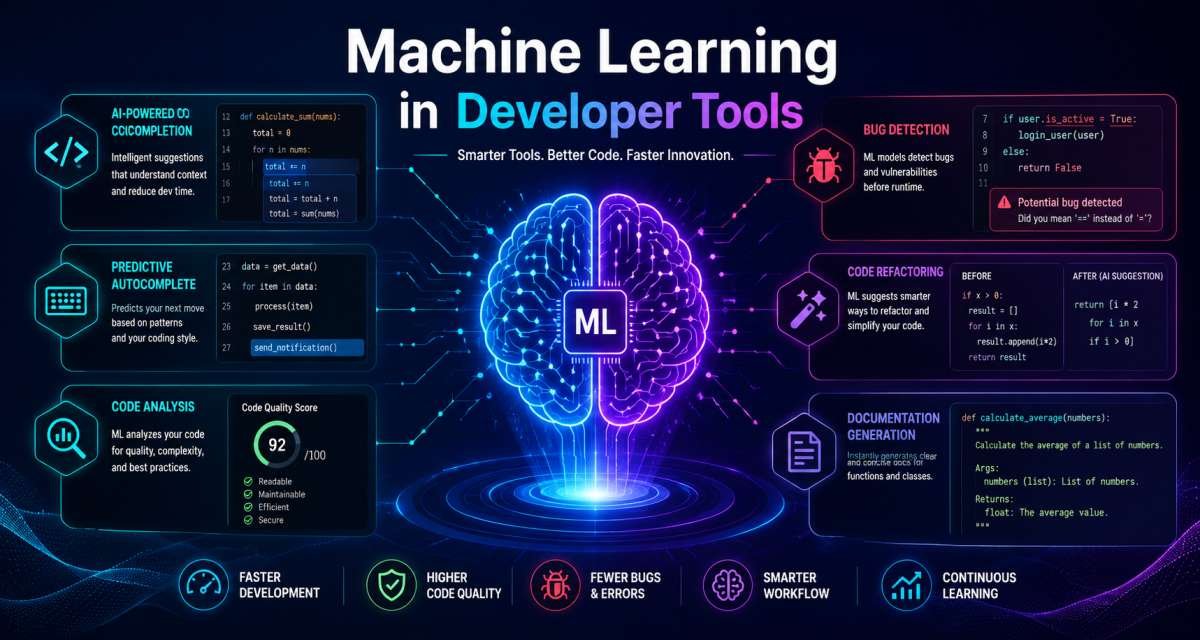
Machine learning in developer tools means using AI models to help developers write, review, test, debug, document, and maintain software. These tools do not remove the need for engineering judgment. They handle support tasks so developers can spend more time on logic, solving product problems, and improving code quality.
This guide is primarily for software developers who want a clear view of how ML fits into their daily workflow. It is also helpful for SaaS founders, startup teams, technical managers, coding learners, and business owners seeking to understand the impact of ML-powered developer tools.
You will learn:
- What ML-powered developer tools do
- Where they help in the software workflow
- How developers use them in real projects
- What risks should teams check?
- How to choose tools without turning this into a tool list
- This guide will also preview practical criteria for selecting ML-powered developer tools, focusing on matching tools to your workflow and team needs rather than just comparing features. The goal is to help you make decisions based on your real context, not just a checklist of product capabilities.
Table of Contents
What Does It Mean?
ML-powered developer tools use models trained on code, text, documentation, errors, and software patterns to support engineering tasks. They can suggest code, explain files, review changes, generate tests, summarize pull requests, and help developers search project knowledge.
Traditional developer tools follow fixed rules. A linter, for example, checks code against known formatting or quality rules. ML tools work differently because they predict likely answers based on context.
That context may include:
- The file you are editing
- Nearby code
- Error messages
- Repository structure
- Documentation
- Issue descriptions
- Pull request diffs
- Test output
- Terminal logs
VS Code documentation explains that its AI features use GitHub Copilot and large language models, with context and tools shaping how the assistant works inside the editor.
Simple definition
A simple way to explain it: ML helps developer tools move from fixed commands to context-aware assistance. This shift is easier to see when comparing it with traditional automation.
A normal autocomplete tool may suggest a method name. An ML-powered code assistant may suggest a full function based on surrounding code, naming style, comments, and project context.
JetBrains says its AI Assistant cloud completion can suggest single lines, code blocks, and full functions based on project context.
How it differs from traditional developer automation
Traditional automation is predictable and rule-based.
Example:
- A formatter changes spacing.
- A linter flags unused variables.
- A CI job runs tests.
- A static analyzer checks known risk patterns.
ML-based tools are more flexible. They can explain why a test may be failing, suggest a fix, draft documentation, or summarize a pull request. This flexibility shows why they appear in more than one part of the workflow.
The tradeoff is accuracy. A rule-based tool usually gives a narrow but stable result. An ML tool can help with wider tasks, but its output needs review.
Where ML appears in the workflow
ML now appears in many parts of the software development lifecycle:
- Planning issues
- Writing code
- Explaining legacy code
- Debugging errors
- Generating tests
- Reviewing pull requests
- Updating documentation
- Finding security concerns
- Summarizing incidents
- Helping with DevOps scripts
GitHub’s Copilot cloud agent documentation says that Copilot can research a repository, create an implementation plan, make code changes on a branch, and return a diff for a developer to review.
Common Mistakes to Avoid:
- Treating ML output as verified code
- Using AI suggestions without understanding the project context
- Confusing code generation with software engineering
Key Takeaway:
ML-powered tools help developers work with more context. They are useful assistants, but the developer still needs to review, test, and own the result. That balance matters throughout the next sections.
Why Developer Tools Use ML
Developer tools use ML because software work depends on patterns, context, and language. Code is technical, but much of the work also involves reading, explaining, comparing, summarizing, and checking.
ML can help because it is good at pattern matching across large amounts of text and code. That makes it useful for tasks where the developer already knows the goal but wants faster support.
Faster coding support
Code completion is one of the clearest uses.
A developer writing a data validation function may get suggestions for input checks, error handling, or test cases. This does not mean the suggestion is correct. It means the tool can reduce the time spent on blank pages.
Google Cloud describes AI code generation as tools that can generate snippets, functions, and algorithms from natural language descriptions.
Better context-aware suggestions
Good developer tools do not only look at one line. They can use file context, naming conventions, function signatures, imports, and sometimes broader repository information.
Example:
A backend developer writes a service method named createInvoice. A context-aware tool may suggest validation for customer ID, invoice items, tax fields, and database persistence based on nearby code patterns.
The developer should still check business rules. The model may understand code structure but not pricing policy, compliance needs, or product decisions.
More help with repetitive engineering work
Developers often repeat tasks that require attention but not much creative design.
Examples:
- Writing boilerplate tests
- Summarizing a pull request
- Explaining a stack trace
- Converting comments into documentation
- Creating migration notes
- Drafting release notes
- Checking common error paths
A 2026 longitudinal study of AI coding assistants found that professional software work is shifting increasingly toward evaluating and correcting AI output. The authors describe this as supervisory engineering work.
Common Mistakes to Avoid:
- Using ML only to write more code faster
- Ignoring review time after AI suggestions
- Assuming productivity gains mean lower risk
Key Takeaway:
ML helps most when it reduces routine effort and gives developers more time to verify design, behavior, security, and maintainability. With that in mind, the next section looks at the main tool types.
Main Types of ML-Powered Developer Tools
ML-powered developer tools usually fall into six groups: code completion, debugging, code review, testing, documentation, and DevOps support. These categories cover the most common ways teams use them.
Most teams use more than one category. The right mix depends on the stack, team size, security needs, and review process.
Code completion and code generation
Code completion suggests code while the developer types. Code generation creates larger snippets, functions, files, or changes from a prompt.
Use it for:
- Boilerplate code
- Simple utility functions
- API client examples
- Test scaffolding
- Repetitive patterns
- Small refactors
Avoid using it blindly for:
- Authentication logic
- Payment logic
- Data privacy workflows
- Security-sensitive code
- Complex architecture decisions
Example:
A frontend developer can ask an AI assistant to draft a React form component with loading, error, and success states. The developer should then check accessibility, state handling, API behavior, and design rules.
Debugging and error explanation
ML tools can explain stack traces, terminal errors, failing tests, and confusing runtime behavior.
Useful prompt:
“Explain this error. Identify the most likely cause, the file I should check first, and three ways to verify the issue.”
This helps developers move from error message to investigation plan.
Code review and pull request support
AI code review tools can scan diffs and leave comments on readability, potential bugs, missing tests, and simple logic issues. GitHub says Copilot code review can give feedback in pull request workflows.
AI review should not replace teammate review for sensitive changes. It works best as a first-pass reviewer.
Use it before human review to catch:
- Missing null checks
- Unused code
- Simple logic mistakes
- Naming inconsistencies
- Missing tests
- Confusing conditionals
Test generation and quality checks
ML can help create unit tests, integration test ideas, and edge case lists.
Example:
A QA engineer can ask AI to create test cases for a password reset flow:
- Valid token
- Expired token
- Reused token
- Invalid email
- Rate limit case
- User not found case
The team should review these tests against product rules and security needs. That review keeps test generation aligned with the real workflow.
Documentation and knowledge search
ML tools can help explain code and turn technical details into useful documentation.
Use cases:
- API documentation
- README updates
- Pull request summaries
- Architecture notes
- Onboarding guides
- Incident summaries
OpenAI described Codex use cases that include turning context from tools such as Slack, Google Docs, and Coda into postmortems, incident response plans, and feature tickets.
DevOps and CI/CD assistance
ML can help explain CI failures, review deployment scripts, generate shell commands, and summarize logs.
Amazon Q Developer documentation says it can chat about code, give inline code completions, generate code, scan code for vulnerabilities, and make upgrades or improvements, such as debugging and optimizations.
Common Mistakes to Avoid:
- Using one tool for every task
- Letting generated tests define correctness
- Skipping human review because AI already reviewed the code
Key Takeaway:
Developer tools use ML across many tasks, but each task needs a clear boundary. Code writing, review, testing, and deployment should still have checks. This leads into the workflow view, where those checks matter at every stage.
How ML Fits Into the Software Development Workflow
ML fits best when it supports each stage of the workflow without removing accountability. A healthy workflow uses AI to assist planning, coding, testing, review, and maintenance. The sections below show how that support appears in practice.
The safest approach is to keep AI inside existing engineering controls. That means issue tracking, version control, tests, pull requests, CI checks, and security review still matter.
Planning and issue breakdown
Before writing code, ML can help turn a vague request into a clearer task.
Example prompt:
“Break this feature request into engineering tasks. Include backend, frontend, testing, documentation, and open questions.”
A team lead can use this to prepare a ticket. The final ticket should still be reviewed by a human because AI may make assumptions.
Coding inside the IDE
Inside an IDE, ML can suggest code, explain files, and answer questions about project context.
VS Code documentation says agents can plan an approach, edit files across a project, run commands, and self-correct while the developer reviews intent and output.
A useful workflow:
- Describe the task.
- Ask for a plan before code.
- Review the plan.
- Let the tool draft a small change.
- Run tests.
- Review the diff.
- Commit only what you understand.
Testing before review
ML can help create a test plan before the pull request is created.
Ask for:
- Existing tests to run
- New unit tests
- Edge cases
- Regression tests
- Manual testing steps
- Risk areas
This makes pull requests easier to review.
Pull request review
Use ML as an early reviewer.
Ask:
- What changed?
- What could break?
- What test is missing?
- Is there unclear code?
- Are there security concerns?
An academic study of AI-based code review tools found that effectiveness varies, and concise comments that include code snippets and are manually triggered are more likely to lead to code changes.
Deployment and maintenance
After deployment, ML can help summarize logs, cluster errors, draft incident notes, or explain monitoring alerts.
DevOps teams can use ML to speed up diagnosis, but production fixes should still follow incident response rules.
Common Mistakes to Avoid:
- Letting agents change too many files at once
- Skipping the planning step
- Treating a clean AI summary as proof that the code is safe
Key Takeaway:
ML fits into the development workflow when it supports existing engineering disciplines. Keep the loop clear: plan, generate, review, test, and document.
Practical Use Cases for Developers and Teams
The best way to understand ML in developer tools is to look at real workflows. Each role uses it differently.
Backend development example
A backend developer needs to add a new API endpoint for invoice status.
ML can help:
- Draft the route handler
- Suggest validation cases
- Generate unit test scaffolding
- Explain database query risks
- Write API documentation
- Summarize the pull request
The developer still checks business rules, permissions, database performance, and error handling.
Frontend development example
A frontend developer is building a settings page.
ML can help:
- Draft component variants
- Suggest state names
- Create loading and error states
- Generate form validation tests
- Improve accessibility labels
- Explain a browser error
The developer still checks design accuracy, accessibility, responsive behavior, and API contracts.
QA and testing example
A QA engineer wants to expand coverage for a checkout flow.
ML can help create a checklist:
- Valid checkout
- Empty cart
- Expired coupon
- Failed payment
- Duplicate submission
- Timeout during payment
- Guest checkout
- Logged-in checkout
- Currency mismatch
The QA engineer should compare these cases with product rules and past production incidents.
DevOps example
A DevOps engineer sees a failed deployment.
ML can help:
- Explain CI logs
- Identify the failing step
- Suggest what command to run locally
- Review a YAML file
- Draft rollback notes
The engineer still owns production safety, access control, and deployment approval.
Team lead example
A team lead reviews a pull request with many small changes.
ML can help:
- Summarize the diff
- Group changes by feature area
- Identify missing tests
- Flag unclear naming
- Draft review comments
The team lead still decides whether the change is ready.
Common Mistakes to Avoid:
- Using AI to bypass review pressure
- Accepting generated documentation without checking accuracy
- Asking for large changes without a staged review
Key Takeaway:
ML supports different developer roles in different ways. The best use cases are specific, reviewable, and tied to a clear engineering task.
Risks, Limits, and Security Concerns
ML-powered developer tools can produce incorrect or insecure code, or create excessive review work if teams use them without clear rules. The main issue is not that AI makes mistakes. The issue is accepting output without verification.
Recent reporting on AI-generated code in enterprises highlights concerns about governance, technical debt, and review bottlenecks as organizations quickly adopt AI coding tools.
Wrong or incomplete code
AI-generated code may compile but still be wrong.
It may:
- Ignore edge cases
- Use outdated APIs
- Miss business rules
- Change unrelated behavior
- Add hidden performance issues
- Pass shallow tests only
Always check the output against real requirements.
Private data exposure
Developers should avoid pasting sensitive code, API keys, tokens, customer records, private credentials, or production data into tools without approval.
Teams should define:
- What data can be shared?
- Which tools are approved
- Whether prompts are stored
- Whether code is used for training
- Which repositories are restricted
- How secrets are handled
Weak security review
AI can help with security review, but it should not be the only control.
A 2025 study on GitHub Copilot code review found that it often missed serious vulnerability classes such as SQL injection, cross-site scripting, and insecure deserialization in the tested samples. The authors stressed the need for dedicated security tools and manual audits.
AWS documentation for Amazon Q Developer code reviews describes SAST scanning for issues such as resource leaks, SQL injection, and cross-site scripting. This shows how security checks are being built into developer tools, but teams should still keep security review policies.
Governance and cost control
AI developer tools can increase speed, but teams also need rules for cost, access, review, and ownership.
A useful team policy should answer:
- Which tools are allowed?
- Which repositories can use them?
- Who reviews generated code?
- Are AI-generated changes labeled?
- What security checks are required?
- Which tasks can agents perform?
- What tasks require human approval?
Common Mistakes to Avoid:
- Using AI review as the only security review
- Sharing secrets inside prompts
- Letting AI-generated code grow without ownership
Key Takeaway:
ML can help developers ship better code only when review, security, privacy, and governance are part of the workflow.
How to Choose the Right ML-Powered Developer Tool
Choose a tool based on your workflow, not the longest feature list. A good developer tool should fit your IDE, repository, review process, security needs, and team skill level.
To evaluate ML-powered developer tools, use this quick checklist:
– Does it integrate smoothly with your existing IDE and code repositories?
– What privacy and data sharing policies apply to your source code and prompts?
– Will the tool fit into your current code review and CI process?
– Can you control access, permissions, and which teams use the tool?
– Does it provide clear audit trails or logs for generated code?
– How easy is it to test the tool with real tasks before rolling it out to the team?
– Are there clear controls for handling secrets and sensitive data?
Considering these steps will help you select tools that match your workflow and team requirements while keeping security and review in focus.
Match the tool to the workflow
Start with the task you want to improve.
For example:
- Need faster coding? Look at IDE completion.
- Need better reviews? Look at pull request support.
- Need fewer regressions? Look at test generation.
- Need safer code? Look at SAST and security review support.
- Need onboarding help? Look at the documentation and code explanation.
Do not choose a tool only because it writes code. Choose it because it improves a specific part of your process.
Review privacy and security controls
Before adopting a tool, check:
- Data retention rules
- Training settings
- Enterprise controls
- Access permissions
- Repository indexing behavior
- Secret handling
- Audit logs
- Admin controls
This matters more for SaaS teams, agencies, fintech products, healthcare software, and any project that handles customer data. However, privacy and security checks are important for all developers, not just those in regulated industries. Even teams working on internal tools or open source projects can face risks if sensitive information is not properly protected.
Test output quality
Run a small pilot.
Use real tasks such as:
- Explain a legacy function
- Generate tests for a known bug
- Review a pull request
- Fix a simple issue
- Summarize a CI failure
- Draft API docs
Score output on accuracy, review effort, security, and usefulness.
Set team rules
A simple team rule set may include:
- AI suggestions must be reviewed.
- Sensitive data must not be pasted.
- Generated code needs tests.
- Security-sensitive changes need human review.
- Large AI changes must be split into smaller pull requests.
- Developers must explain any AI-assisted code they merge.
Common Mistakes to Avoid:
- Choosing tools before defining the workflow problem
- Ignoring privacy settings
- Measuring speed but not review quality
Key Takeaway:
The right tool is the one that improves a specific part of your development process while aligning with your security, review, and team standards.
Common Mistakes Developers Should Avoid
Developers get the best results when they use ML as a support system, not as an autopilot.
Avoid these mistakes:
- Asking vague prompts
“Fix this code” is weak. Give the bug, expected behavior, relevant code, and constraints. - Skipping tests
A suggested fix is not complete until it is tested. - Trusting generated explanations too quickly
AI can explain code incorrectly. Check the explanation against the actual code. - Generating large patches
Small changes are easier to review. Large AI-generated diffs create review risk. - Ignoring security
Code that works may still be unsafe. - Pasting secrets
Never share API keys, tokens, credentials, or private customer data unless your company policy allows it. - Using AI to avoid learning
Developers should still understand the code they ship.
Key Takeaway:
Good AI use requires clear prompts, small changes, review, tests, and ownership. The developer remains responsible for the final result.
FAQ Section
What is machine learning in developer tools?
It means using ML models inside coding tools to help with code completion, debugging, testing, documentation, code review, and DevOps tasks. These tools use context from code, prompts, files, logs, or repositories to suggest useful next steps.
How is ML used in software development?
ML is used to suggest code, explain errors, generate tests, review pull requests, summarize documentation, detect patterns, and support deployment workflows. It helps developers work faster, but the output still needs human review and testing.
Can ML-powered tools write complete software?
They can help create software components, and some agentic tools can make changes across multiple files. Still, complete software needs product judgment, architecture decisions, testing, security review, deployment planning, and maintenance. Developers remain responsible for the final result.
Are AI coding tools safe?
They can be safe when used with clear rules. Teams should review generated code, run tests, avoid sharing secrets, use approved tools, and maintain security checks. AI output should not be trusted by default.
Do ML developer tools replace developers?
No. They change parts of the workflow, especially routine coding, explanation, and review support. Developers still need to define requirements, make design decisions, check code quality, review security, and own production behavior.
What should developers check before accepting AI-generated code?
Developers should check correctness, readability, dependencies, test coverage, edge cases, performance, security, and privacy. They should also confirm that the change matches product rules and does not alter unrelated behavior.
Which development tasks are best suited for ML support?
Good tasks include code completion, boilerplate generation, error explanation, test case drafting, pull request summaries, documentation updates, and CI log analysis. Risky tasks include authentication, payments, permissions, encryption, and production data handling without expert review.
Conclusion
ML is now part of modern developer tooling, from IDE completion to pull request review, testing, documentation, and DevOps support. The best teams use it to improve workflow speed and clarity while keeping human judgment, testing, and security review in place.
The next step is to define where your team needs the most help. If the issue is coding speed, explore AI coding assistants. If the issue is review quality, explore AI code review workflows. If the issue is test coverage, read a focused guide on using AI for unit testing.
To get started, pilot ML-powered developer tools with a small group or on a specific project. Begin by integrating the tool into a single stage of your workflow, such as code review or test generation. Set clear goals for what you want to improve, and collect feedback from developers who use the tool. Gradually expand adoption to more team members or projects as you gain confidence in its value and controls. Testing in a limited scope allows your team to adapt, adjust processes, and set best practices before a wider rollout.
This article should stay educational. Separate articles can cover tool comparisons, product reviews, and buying decisions.




Leave a Reply