
I once translated a blog post that looked fine on paper. But when I shared it, readers told me the sentences felt stiff and rigid to follow. That was my wake-up call: translation isn’t just about swapping words. It’s about ensuring the final text sounds natural and easy to read. That’s where readability testing comes in.
Table of Contents
In this guide, I’ll walk you through the step-by-step process of testing the readability of my translated text. Here’s what you’ll find inside:
- Why readability matters in translations.
- What readability means and how it’s measured.
- Simple ways I check readability (manual and tools).
- How to test the readability of translated text online.
- Common mistakes translators make.
- Best practices I use to keep translations clear.
- A quick FAQ section for your burning questions.
Why Readability Matters in Translated Texts
Here’s the short answer: a translation might be technically correct, but if it’s hard to read, it fails its purpose.
When I review a translation, I ask myself three things:
- Did I understand the original meaning correctly?
- Does the text flow naturally in the target language?
- Would a native reader enjoy reading this without stumbling?
If the answer is no to any of these, then the readability isn’t good enough. I’ve learned this the hard way—sometimes a sentence that looked perfect in my head confused readers.
What Is Readability and How Is It Measured?
Readability refers to the ease or difficulty of reading and understanding a text. Short sentences, familiar words, and a smooth rhythm usually make writing easier to follow.
One of the most common ways to measure this is through formulas. For example, the Flesch Reading Ease score gives text a number based on sentence length and word complexity. A higher score means easier reading. I often check my writing against this formula to see if I’m keeping it accessible.
If you’re new to these formulas, I’d suggest starting with what readability testing is. It explains why these methods matter and how they work.
How Can I Test the Readability of My Translated Text?
The quick answer: I use a mix of manual reviews and digital tools.
1. Manual Review
Before I run any tools, I read my translation aloud. If I stumble, my readers probably will too. This is the simplest way to spot clunky phrasing.
Another trick I use is asking a native speaker for feedback. Sometimes what looks fine to me feels odd to someone fluent. Even a sentence that doesn’t sound natural can throw off the whole piece.
2. Automated Readability Tools
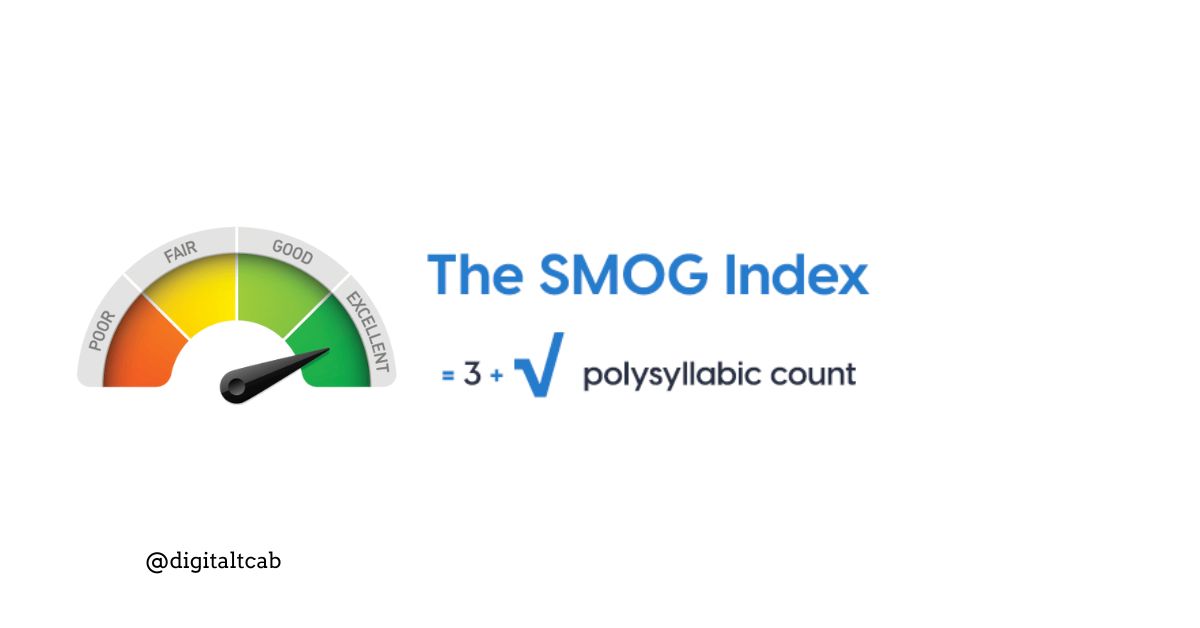
Of course, I also rely on readability calculators. They save time and give me an objective score. The Flesch Kincaid Grade Level, Gunning Fog, and SMOG Index are the ones I check most often.
I use a free readability test tool when I want a quick score. It highlights long sentences and suggests grade levels instantly. That helps me balance between sounding professional and staying easy to read.
3. Built-in Features in Word and Docs
I run the built-in readability statistics if I’m working in Microsoft Word. It’s hidden in the grammar check, but once enabled, it shows the grade level and ease score after every proof. Google Docs also gives decent suggestions for clarity, though it’s not as detailed.
If you want to try this method, I’ve shared the exact steps to test readability in Word. It’s surprisingly simple once you know where to look.
How Can I Test the Readability of My Translated Text Online?
The fastest way is to paste your text into an online checker. Many tools give instant results across multiple readability formulas.
I’ve compared a few, and I noticed that while the numbers sometimes vary, the feedback usually points to the same issues: too many long sentences, complex words, or inconsistent phrasing.
I use online tools in my translations when I need quick feedback before publishing. They don’t replace human review, but they help me spot problem areas fast.
Common Mistakes Translators Make with Readability
I’ve seen (and made) plenty of mistakes in translation work. Some of the most common ones include:
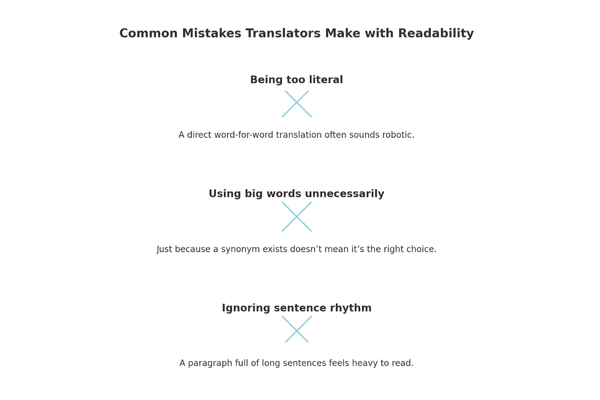
- Being too literal: A direct word-for-word translation often sounds robotic.
- Using big words unnecessarily: Just because a synonym exists doesn’t mean it’s the right choice.
- Ignoring sentence rhythm: A paragraph full of long sentences feels heavy to read.
I remember one translation where I copied the source structure too closely. The result? A blocky, awkward paragraph that even I didn’t want to finish. Lesson learned: readability always wins.
Best Practices for Improving Readability in Translations
Here’s my quick checklist for keeping things readable:
- Keep sentences short. If I can split a long sentence into two, I usually do.
- Use everyday language unless the subject demands technical terms.
- Check for tone consistency—does the text sound like it was written for humans, not machines?
- Always back translations with a readability score. Even if I trust my gut, the numbers give me extra confidence.
Sometimes I compare results across different formulas, like the Gunning Fog Score or SMOG Index. If they agree that the text is easy to read, I know I’ve done my job.
FAQ
What’s the best tool to test the readability of a translated text?
I recommend online readability checkers. They’re fast, free, and cover multiple formulas at once.
How can I check the grade level of my translation?
Tools like the Flesch Kincaid Grade Level give you a clear number that shows the education level needed to read your text.
Is Flesch-Kincaid reliable for non-English texts?
It works best for English, but still gives a rough idea in other languages. I always combine it with human review.
Can readability tools replace human review?
No. Tools help, but they don’t understand cultural context or natural flow. I always pair digital checks with human feedback.
Conclusion
Testing the readability of translated text isn’t complicated, but it does take attention. I combine simple read-aloud checks, online tools, and readability formulas to ensure my translations are clear, natural, and enjoyable.
If you’ve ever worried about whether your translations sound right, start testing. It only takes a few minutes and can completely change how readers experience your work.




Leave a Reply